轮廓描绘
本练习将为一匹马寻找轮廓。
为此,我们将使用 scikit-image 在其 data 模块中提供的二值化图像。使用此算法寻找轮廓时,二值化图像更易处理。请记住,轮廓检测只支持 2D 图像数组。
一旦检测到轮廓,我们会将其与原图一起显示。这样您就能核对我们的分析是否正确!
show_image_contour(image, contours) 是预加载函数,会使用 Matplotlib 将图像与所有检测到的轮廓一起显示。
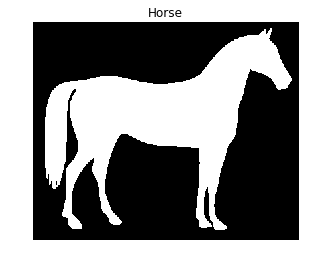
请记住,您可以使用 measure 模块中的 find_contours() 函数,传入阈值化后的图像和一个常量值。
本练习是课程的一部分
Python 图像处理
练习说明
- 导入用于轮廓检测所需的 data 和模块。
- 获取上下文区域中显示的马的图像。
- 使用常量水平值 0.8 寻找该马图像的轮廓。
交互式实操练习
通过完成这段示例代码来试试这个练习。
# Import the modules
from skimage import ____, ____

# Obtain the horse image
horse_image = ____.horse()

# Find the contours with a constant level value of 0.8
contours = measure.____(____, ____)

# Shows the image with contours found
show_image_contour(horse_image, contours)