让图像更有冲击力与对比度
您是否想过增强照片的对比度,让画面更有张力?
在本练习中,您将提升一杯咖啡图片的对比度。 这张图可以分享到社交媒体上。别忘了使用 #ImageProcessingDatacamp 标签!
虽然这不是我们周日清晨的那杯咖啡,您依然可以把同样的方法应用到任何照片上。
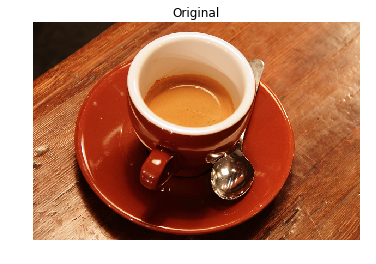
已经为您定义了一个 show_image() 函数,用于使用 Matplotlib 显示图像。它包含参数 image 和 title,其中 title 的默认值为 'Original'。
本练习是课程的一部分
Python 图像处理
练习说明
- 导入包含对比度受限自适应直方图均衡化(CLAHE)函数的模块。
- 从用于测试的图像集合模块中,获取包含咖啡杯的目标图像。
- 使用前面导入的模块,调用该函数对原图应用自适应均衡化方法,并将剪切阈值(clip limit)设置为 0.03。
交互式实操练习
通过完成这段示例代码来试试这个练习。
# Import the necessary modules
from skimage import data, ____

# Load the image
original_image = ____.coffee()

# Apply the adaptive equalization on the original image
adapthist_eq_image = ____.____(original_image, ____=____)

# Compare the original image to the equalized
show_image(original_image)
show_image(adapthist_eq_image, '#ImageProcessingDatacamp')