有人在吗?
在本练习中,您将检查一张夜间拍摄的图像中是否有人出现。
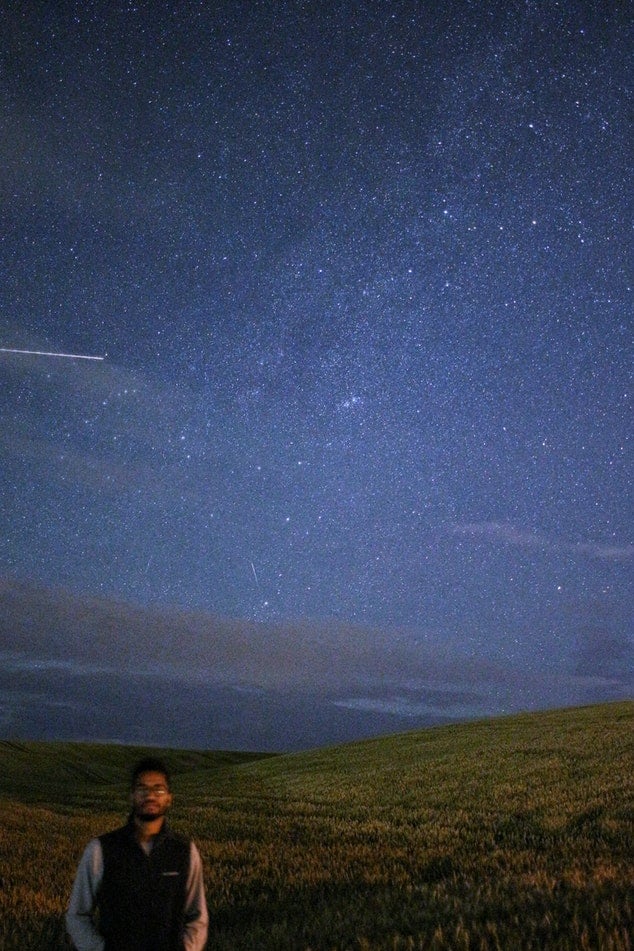
night_image。来自 feature 模块的分类器 Cascade 类已导入。同时也已导入 show_detected_face() 函数,用于在图像中标记并显示人脸,并将其裁剪后单独展示。
本练习是课程的一部分
Python 图像处理
练习说明
- 从
data模块加载训练文件。 - 使用该训练文件初始化级联检测器。
- 在图像中检测人脸,将搜索窗口的最小尺寸设为 10 像素,最大尺寸设为 200 像素。
交互式实操练习
通过完成这段示例代码来试试这个练习。
# Load the trained file from data
trained_file = ____.lbp_frontal_face_cascade_filename()

# Initialize the detector cascade
detector = ____(____)

# Detect faces with min and max size of searching window
detected = detector.detect_multi_scale(img = night_image,
                                       scale_factor=1.2,
                                       step_ratio=1,
                                       min_size=(____),
                                       max_size=(____))

# Show the detected faces
show_detected_face(night_image, detected)