物件偵測
在這個練習中,你會使用前面相同的 flickr 資料集,內含 30,000 張影像與對應的標題。現在你要找出模型偵測到之物件的邊界框。
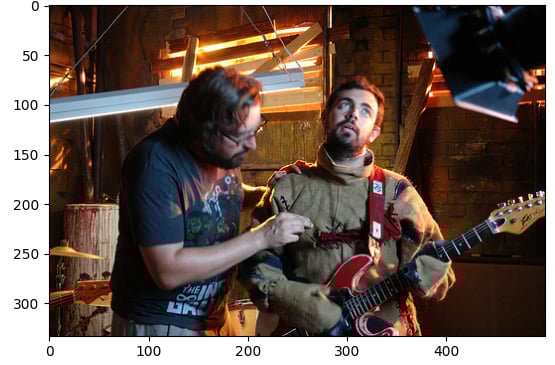
範例影像(image)與 pipeline 模組(pipeline)已載入。
本練習屬於課程
使用 Hugging Face 的多模態模型
練習說明
- 使用
facebook/detr-resnet-50的預訓練模型載入object-detectionpipeline。 - 取得偵測到之物件的
label。 - 取得該物件對應的信心分數
score。 - 取得該物件邊界框的座標
box。
動手互動練習
試著完成這個範例程式碼,體驗一下這個練習。
# Load the object-detection pipeline
pipe = pipeline("____", "____", revision="no_timm")
pred = pipe(image)
outputs = pipe(image)

for n, obj in enumerate(outputs):
    # Find the detected label
    label = ____
    # Find the confidence score of the prediction
    confidence = ____
    # Obtain the bounding box coordinates
    box = ____

    plot_args = {"linewidth": 1, "edgecolor": colors[n], "facecolor": 'none'}
    rect = patches.Rectangle((box['xmin'], box['ymin']), box['xmax']-box['xmin'], box['ymax']-box['ymin'], **plot_args)
    ax.add_patch(rect)
    print(f"Detected {label} with confidence {confidence:.2f} at ({box['xmin']}, {box['ymin']}) to ({box['xmax']}, {box['ymax']})")

plt.show()