RGB 轉灰階
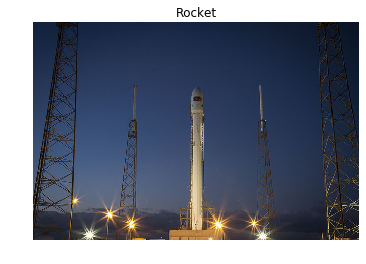
在這個練習中,你會從 scikit-image 的 data 模組載入一張影像並將它轉成灰階,然後在輸出中比較兩者。
我們已經預先載入了 show_image(image, title='Image') 函式,會用 Matplotlib 顯示影像。你可以在主控台用 ?show_image() 或 help(show_image) 查看參數說明。
本練習屬於課程
Python 影像處理
練習說明
- 從 scikit-image 匯入
data與color模組。前者提供範例影像,後者提供色彩轉換的函式。 - 載入
rocket影像。 - 將 RGB(三通道)的火箭影像轉為灰階。
動手互動練習
試著完成這個範例程式碼,體驗一下這個練習。
# Import the modules from skimage
from skimage import ____, ____

# Load the rocket image
rocket = data.____()

# Convert the image to grayscale
gray_scaled_rocket = color.____(____)

# Show the original image
show_image(rocket, 'Original RGB image')

# Show the grayscale image
show_image(gray_scaled_rocket, 'Grayscale image')