輪廓擬合形狀
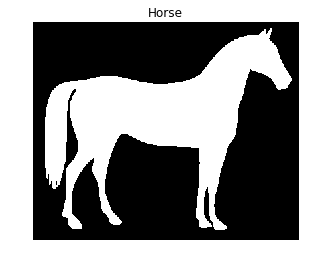
在這個練習中,你將找出一匹馬的輪廓。
我們會使用 scikit-image 的 data 模組中提供的二值化影像。使用這個演算法尋找輪廓時,二值化影像較容易處理。記得,輪廓偵測只支援 2D 影像陣列。
一旦偵測到輪廓,我們會把它和原始影像一起顯示,這樣你就能檢查分析是否正確!
show_image_contour(image, contours) 是預先載入的函式,會用 Matplotlib 將影像與所有找到的輪廓一起顯示。
記得你可以使用 measure 模組中的 find_contours() 函式,傳入閾值化後的影像與一個常數值。
本練習屬於課程
Python 影像處理
練習說明
- 匯入進行輪廓偵測所需的資料與模組。
- 取得情境區中顯示的馬的影像。
- 使用常數等高值 0.8 找出馬的影像輪廓。
動手互動練習
試著完成這個範例程式碼,體驗一下這個練習。
# Import the modules
from skimage import ____, ____

# Obtain the horse image
horse_image = ____.horse()

# Find the contours with a constant level value of 0.8
contours = measure.____(____, ____)

# Shows the image with contours found
show_image_contour(horse_image, contours)