應用程式 3:熱門嬰兒名字進階版
太好了!希望你喜歡用長條圖呈現熱門嬰兒名字的應用程式。現在來收尾本章內容:把先前建立的應用程式再加強,新增一個分頁籤,顯示前 10 大嬰兒名字的表格。你最後完成的應用程式,外觀應該會與下方螢幕截圖相似。
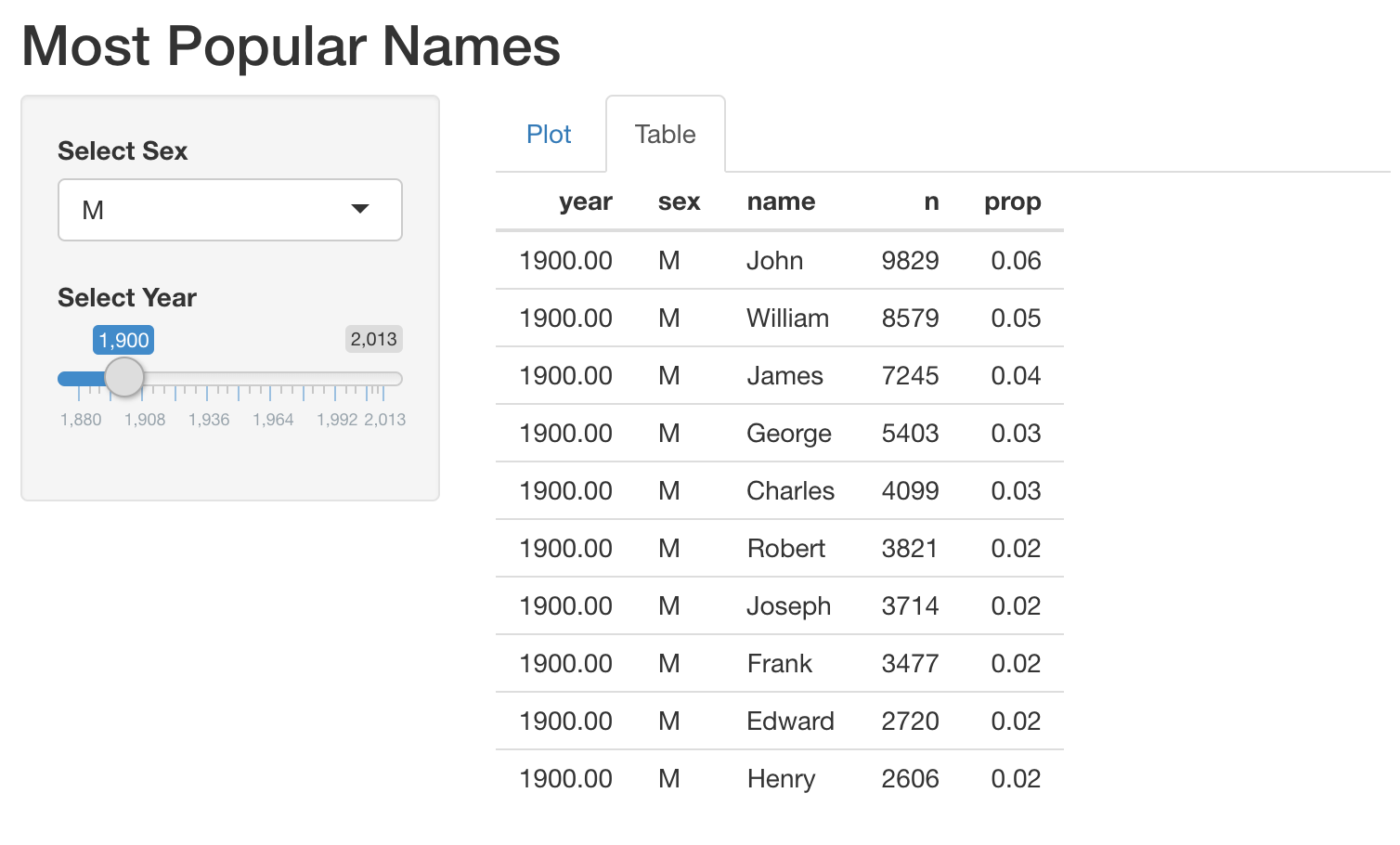
另外,我們已提供函式 get_top_names(),用來擷取指定 year 與 sex 的前 10 大名字。舉例來說,你可以用 get_top_names(2000, "M") 取得 2000 年的男性前 10 大名字。
本練習屬於課程
使用 R 的 Shiny 建立網頁應用程式
練習說明
- 這段程式碼是你在上一個練習中建立的應用程式。請修改這段程式碼,在伺服器端新增一個輸出,用表格顯示熱門名字。
- 在 UI 中把圖表與表格的輸出排版為分頁籤(tabs)。
動手互動練習
試著完成這個範例程式碼,體驗一下這個練習。
# MODIFY this app (built in the previous exercise)
ui <- fluidPage(
  titlePanel("Most Popular Names"),
  sidebarLayout(
    sidebarPanel(
      selectInput('sex', 'Select Sex', c("M", "F")),
      sliderInput('year', 'Select Year', min = 1880, max = 2017, value = 1900)
    ),
    mainPanel(
     plotOutput('plot')
    )
  )
)

server <- function(input, output, session) {
  output$plot <- renderPlot({
    top_names_by_sex_year <- get_top_names(input$year, input$sex)
    ggplot(top_names_by_sex_year, aes(x = name, y = prop)) +
      geom_col()
  })
}

shinyApp(ui = ui, server = server)