「Hello, World」應用程式輸出(UI/Server)
要完成你的「Hello, world」應用程式,你需要把輸入的文字實際顯示出來。
回顧一下,以下是從輸入建立輸出的方式:
# 使用輸入 x 來產生輸出 y
output$y <- renderText({
  input$x
})
shiny 套件已為你預先載入。
在本練習結束時,你的應用程式應該長這樣:
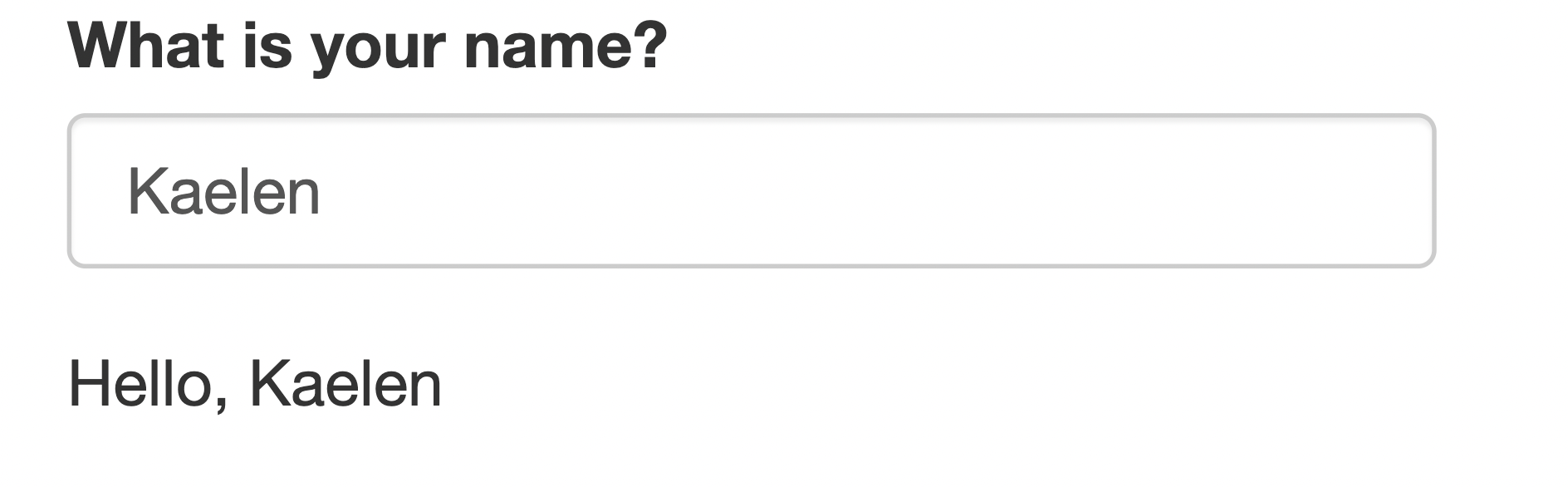
如果你看到像 Parsing error in script.R:4:3: unexpected symbol 這樣的錯誤訊息,
很可能是你忘記用逗號分隔其中某個函式的引數。
本練習屬於課程
使用 R 的 Shiny 建立網頁應用程式
練習說明
- Server: 建立名為
'greeting'的輸出,當輸入的名字是 Kaelen 時,顯示「Hello, Kaelen」。 - UI: 在 UI 中顯示該輸出。新增其他程式碼前,記得在
textInput()後面加上一個逗號。
動手互動練習
試著完成這個範例程式碼,體驗一下這個練習。
ui <- fluidPage(
	textInput("name", "What is your name?")
	# CODE BELOW: Display the text output, greeting
    # Make sure to add a comma after textInput()

)

server <- function(input, output) {
	# CODE BELOW: Render a text output, greeting


}

shinyApp(ui = ui, server = server)