外星人目擊:加入輸入元件
National UFO Reporting Center(NUFORC)在過去一個世紀蒐集了目擊資料。這個應用程式會讓使用者選擇一個美國州別,以及目擊事件發生的時間區間。
記得,當你把輸入元件加上去之後,外觀應會像這裡一樣,不過它們此時還不會出現在側邊欄:
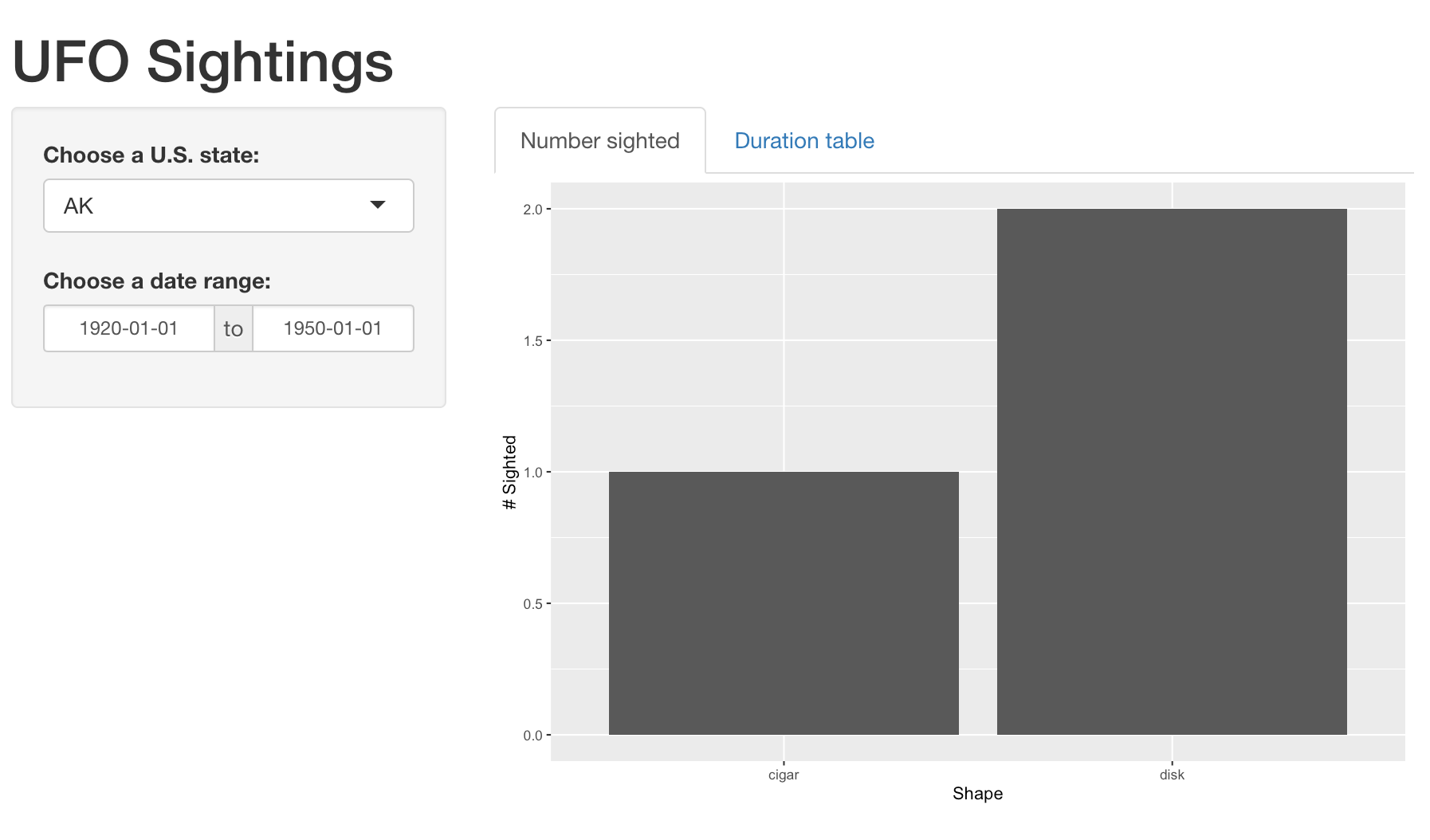
已為你載入 usa_ufo_sightings 資料集,以及 shiny、ggplot2、dplyr 套件。
本練習屬於課程
使用 R 的 Shiny 建立網頁應用程式
練習說明
- 為你的應用程式加上一個標題。
- 在側邊欄新增一個輸入元件,讓使用者可以從 50 個美國州別中選一個。
- 在側邊欄新增一個輸入元件,讓使用者可以選擇一段日期範圍。
start與end日期可自行決定。
動手互動練習
試著完成這個範例程式碼,體驗一下這個練習。
ui <- fluidPage(
  # CODE BELOW: Add a title

  sidebarLayout(
    sidebarPanel(
      # CODE BELOW: One input to select a U.S. state
      # And one input to select a range of dates


    ),
  	mainPanel()
  )
)

server <- function(input, output) {

}

shinyApp(ui, server)