การตรวจจับวัตถุ
ในแบบฝึกหัดนี้ จะใช้ชุดข้อมูล flickr เดิมซึ่งมีรูปภาพ 30,000 รูปพร้อม caption ที่เกี่ยวข้อง โดยครั้งนี้จะหา bounding box ของวัตถุที่โมเดลตรวจพบ
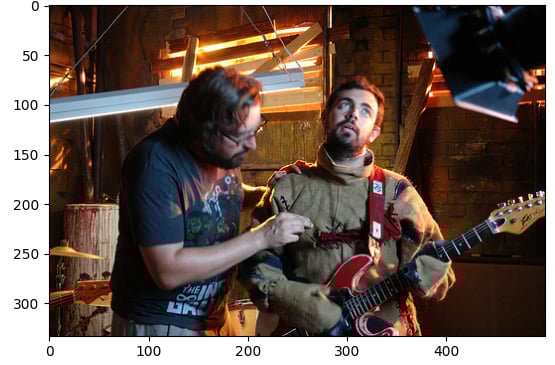
โหลดรูปภาพตัวอย่าง (image) และโมดูล pipeline (pipeline) ไว้แล้ว
แบบฝึกหัดนี้เป็นส่วนหนึ่งของหลักสูตร
โมเดล Multi-Modal ด้วย Hugging Face
คำแนะนำการฝึกหัด
- โหลด pipeline
object-detectionโดยใช้โมเดลที่ผ่านการเทรนมาแล้วfacebook/detr-resnet-50 - ค้นหา
labelของวัตถุที่ตรวจพบ - ค้นหาค่าความเชื่อมั่น
scoreของวัตถุที่ตรวจพบ - ค้นหาพิกัด bounding
boxของวัตถุที่ตรวจพบ
แบบฝึกหัดเชิงโต้ตอบแบบลงมือทำ
ลองทำแบบฝึกหัดนี้โดยเติมโค้ดตัวอย่างนี้ให้สมบูรณ์
# Load the object-detection pipeline
pipe = pipeline("____", "____", revision="no_timm")
pred = pipe(image)
outputs = pipe(image)

for n, obj in enumerate(outputs):
    # Find the detected label
    label = ____
    # Find the confidence score of the prediction
    confidence = ____
    # Obtain the bounding box coordinates
    box = ____

    plot_args = {"linewidth": 1, "edgecolor": colors[n], "facecolor": 'none'}
    rect = patches.Rectangle((box['xmin'], box['ymin']), box['xmax']-box['xmin'], box['ymax']-box['ymin'], **plot_args)
    ax.add_patch(rect)
    print(f"Detected {label} with confidence {confidence:.2f} at ({box['xmin']}, {box['ymin']}) to ({box['xmax']}, {box['ymax']})")

plt.show()