การสร้างคำบรรยายภาพด้วย Pipeline
ในแบบฝึกหัดนี้ จะใช้ชุดข้อมูล flickr ซึ่งมีรูปภาพ 30,000 ภาพพร้อมคำบรรยายที่เกี่ยวข้อง โดยครั้งนี้จะสร้างคำบรรยายสำหรับรูปภาพด้านล่างโดยใช้ pipeline แทนการใช้ auto classes
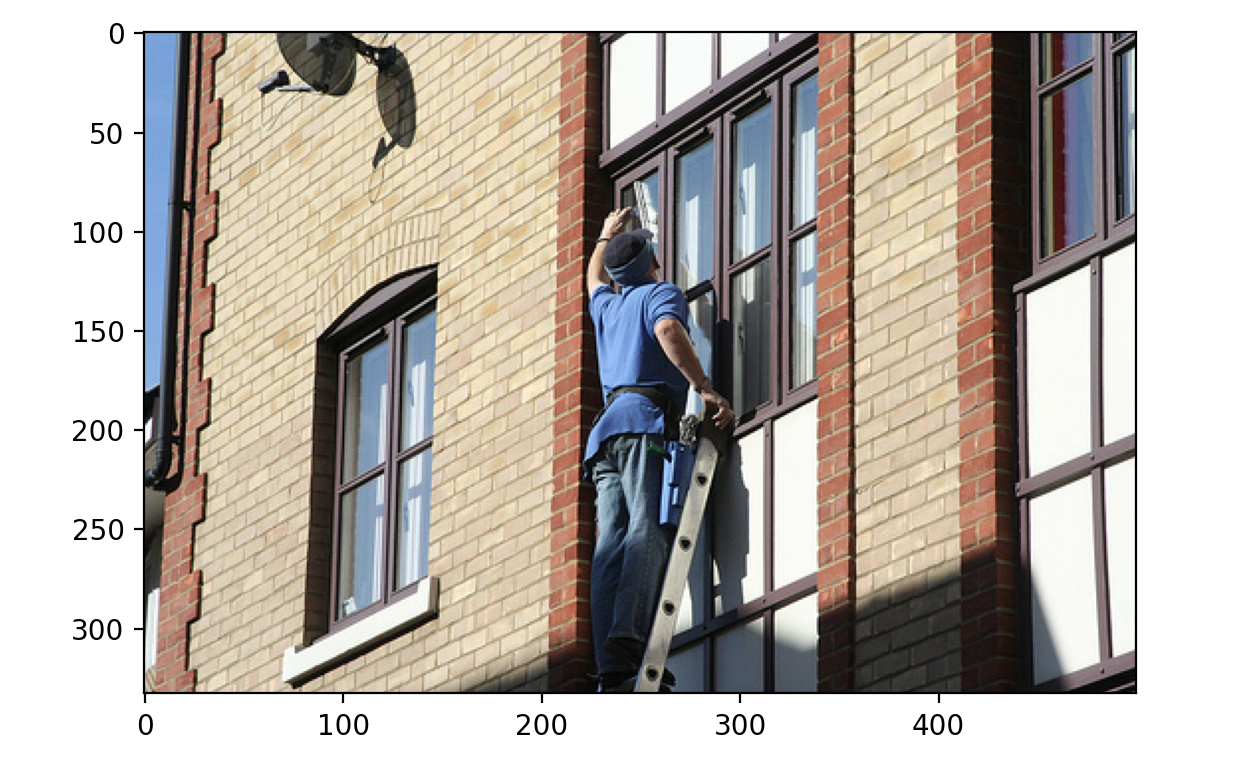
ชุดข้อมูล (dataset) ถูกโหลดมาแล้วในรูปแบบต่อไปนี้:
Dataset({
    features: ['image', 'caption', 'sentids', 'split', 'img_id', 'filename'],
    num_rows: 10
})
โมดูล pipeline (pipeline) ถูกโหลดมาแล้ว
แบบฝึกหัดนี้เป็นส่วนหนึ่งของหลักสูตร
โมเดล Multi-Modal ด้วย Hugging Face
คำแนะนำการฝึกหัด
- โหลด pipeline
image-to-textโดยใช้โมเดลที่ผ่านการเทรนมาแล้วSalesforce/blip-image-captioning-base - ใช้ pipeline เพื่อสร้างคำบรรยายสำหรับรูปภาพที่ index
3
แบบฝึกหัดเชิงโต้ตอบแบบลงมือทำ
ลองทำแบบฝึกหัดนี้โดยเติมโค้ดตัวอย่างนี้ให้สมบูรณ์
# Load the image-to-text pipeline
pipe = pipeline(task="____", model="____")

# Use the pipeline to generate a caption with the image of datapoint 3
pred = ____(dataset[3]["____"])

print(pred)