上传新的索引
Sam 就快完成了!在上一个练习中,她生成了新的目录清单,并将其存入变量 objects_df:
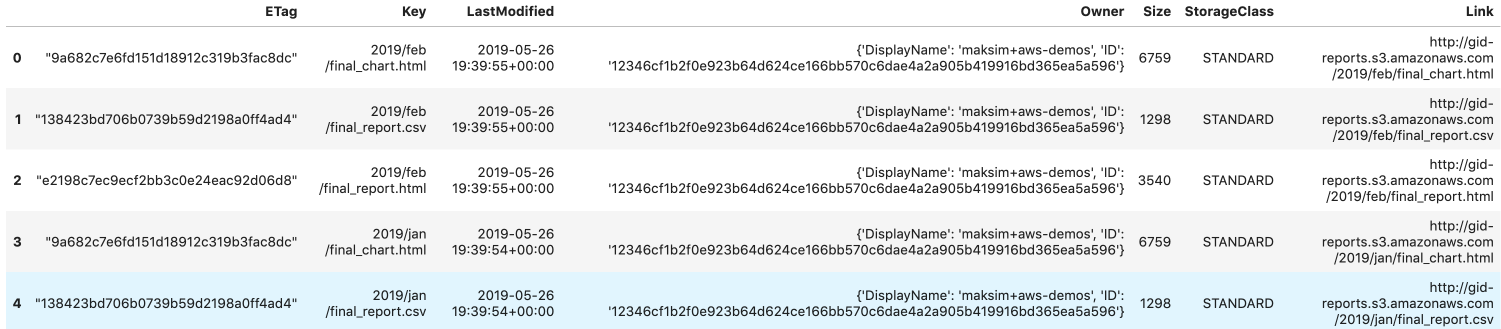
Sam 已在变量 s3 中创建了 boto3 的 S3 客户端。objects_df 已由上一个练习的新目录清单填充。
接下来需要将 objects_df 写入一个 HTML 文件,并上传到 S3,替换当前的 'index.html' 文件。
请帮助 Sam 更新目录清单,让公众不仅能访问 1 月份,也能访问 2 月份的报告!
本练习是课程的一部分
Python 中的 AWS Boto 入门
练习说明
- 将
objects_df写入 HTML 文件'report_listing.html',并使其中的链接可点击。 - HTML 文件中只应包含
'Link'、'LastModified'和'Size'三列。 - 将新文件上传到 S3,覆盖现有的
'index.html'。
交互式实操练习
通过完成这段示例代码来试试这个练习。
# Write objects_df to an HTML file
objects_df.____('report_listing.html',
    # Set clickable links
    ____=True,
	# Isolate the columns
    ____=['____', '____', '____'])

# Overwrite index.html key by uploading the new file
s3.upload_file(
  Filename='./report_listing.html', Key='____',
  Bucket='gid-reports',
  ____ = {
    'ContentType': '____',
    'ACL': 'public-read'
  })