将 HTML 文件上传到 S3
当 Streets Operations 的经理得知 Sam 的工作后,他请她为 Get It Done 请求制作一个仪表板。
他希望用这个仪表板来安排人手并制定团队排班。
Sam 使用 Python 的 bokeh 绘图库生成了一个漂亮的仪表板 HTML 文件:
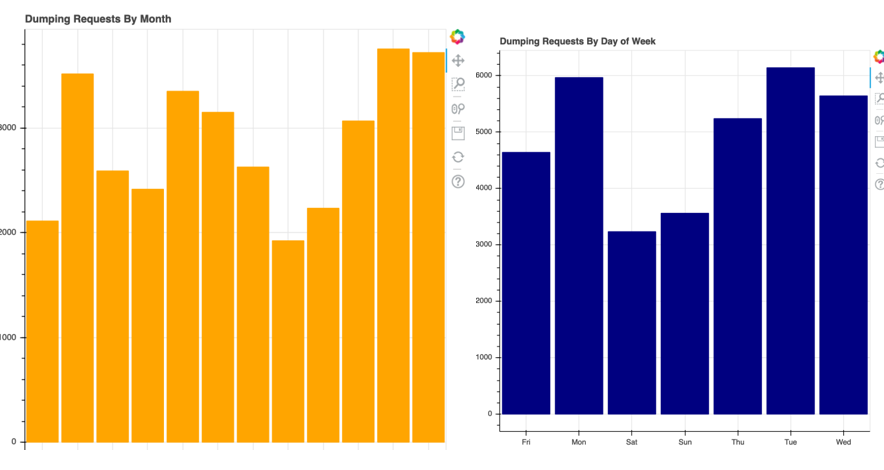
她希望把它作为网站提供给 Streets Operations 的成员,用于交互式查看。
让 S3 作为站点托管该仪表板,可以让她编写脚本持续更新生成的 HTML 文件,使 Streets Operations 团队随时掌握最新请求。
她已经初始化了 boto3 的 S3 客户端,并将其赋值给变量 s3。
本练习是课程的一部分
Python 中的 AWS Boto 入门
练习说明
- 将
'lines.html'文件上传到'datacamp-public'桶。 - 为上传的文件指定正确的内容类型。
- 指定该文件应为公开访问。
- 打印该新文件的公共对象 URL。
交互式实操练习
通过完成这段示例代码来试试这个练习。
# Upload the lines.html file to S3
s3.upload_file(Filename='lines.html',
               # Set the bucket name
               ____='____', Key='index.html',
               # Configure uploaded file
               ExtraArgs = {
                 # Set proper content type
                 '____':'text/html',
                 # Set proper ACL
                 '____': '____'})

# Print the S3 Public Object URL for the new file.
print("http://{}.s3.____.com/{}".format('datacamp-public', 'index.html'))