객체 탐지
이 연습 문제에서는 앞서 사용한 flickr 데이터셋을 다시 사용해요. 이 데이터셋에는 30,000장의 이미지와 관련 캡션이 있어요. 이제 모델이 탐지한 객체의 바운딩 박스를 찾아보겠습니다.
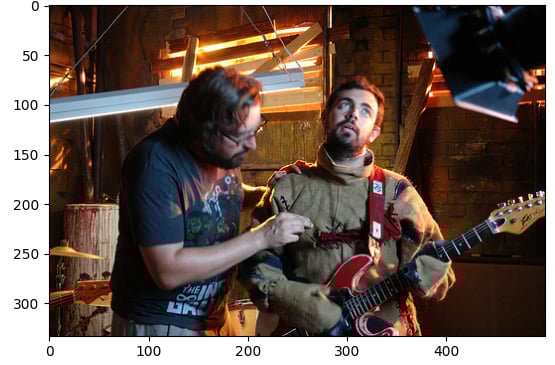
샘플 이미지(image)와 파이프라인 모듈(pipeline)이 로드되어 있어요.
이 연습은 강의의 일부입니다
Hugging Face로 배우는 멀티모달 모델
연습 안내
facebook/detr-resnet-50사전 학습 모델로object-detection파이프라인을 로드하세요.- 탐지된 객체의
label을 찾으세요. - 해당 객체의 신뢰도
score를 찾으세요. - 해당 객체의 바운딩
box좌표를 찾으세요.
실습형 인터랙티브 연습
이 예제를 이 샘플 코드를 완성하여 풀어보세요.
# Load the object-detection pipeline
pipe = pipeline("____", "____", revision="no_timm")
pred = pipe(image)
outputs = pipe(image)

for n, obj in enumerate(outputs):
    # Find the detected label
    label = ____
    # Find the confidence score of the prediction
    confidence = ____
    # Obtain the bounding box coordinates
    box = ____

    plot_args = {"linewidth": 1, "edgecolor": colors[n], "facecolor": 'none'}
    rect = patches.Rectangle((box['xmin'], box['ymin']), box['xmax']-box['xmin'], box['ymax']-box['ymin'], **plot_args)
    ax.add_patch(rect)
    print(f"Detected {label} with confidence {confidence:.2f} at ({box['xmin']}, {box['ymin']}) to ({box['xmax']}, {box['ymax']})")

plt.show()