이미지 전처리
이번 연습에서는 30,000장의 이미지와 캡션이 포함된 flickr 데이터셋을 사용해 이미지 전처리를 수행해 볼 거예요. 전처리는 이미지에서 텍스트 생성 같은 Hugging Face 모델 태스크로 추론할 수 있도록 이미지 데이터를 적합한 형식으로 바꾸는 과정이에요. 여기서는 다음 이미지에 대한 텍스트 캡션을 생성해 보겠습니다:
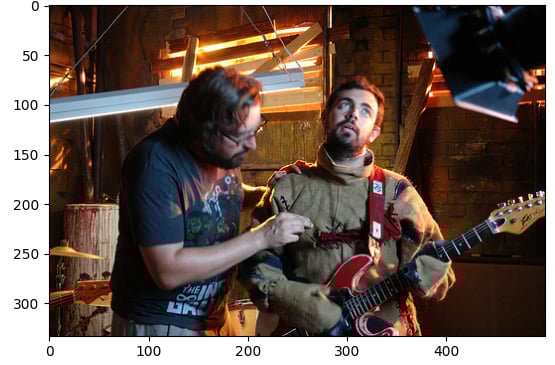
데이터셋(dataset)은 다음과 같은 구조로 로드되어 있어요:
Dataset({
    features: ['image', 'caption', 'sentids', 'split', 'img_id', 'filename'],
    num_rows: 10
})
이미지 캡셔닝 모델(model)도 로드되어 있어요.
이 연습은 강의의 일부입니다
Hugging Face로 배우는 멀티모달 모델
연습 안내
- 데이터셋의 인덱스
5요소에서 이미지를 로드하세요. - 사전 학습된 모델
Salesforce/blip-image-captioning-base의 이미지 프로세서(BlipProcessor)를 로드하세요. image에 대해 프로세서를 실행하되, PyTorch 텐서(pt)가 필요하다고 지정하세요..generate()메서드를 사용하여model로 캡션을 생성하세요.
실습형 인터랙티브 연습
이 예제를 이 샘플 코드를 완성하여 풀어보세요.
# Load the image from index 5 of the dataset
image = dataset[5]["____"]

# Load the image processor of the pretrained model
processor = ____.____("Salesforce/blip-image-captioning-base")

# Preprocess the image
inputs = ____(images=____, return_tensors="pt")

# Generate a caption using the model
output = ____(**inputs)
print(f'Generated caption: {processor.decode(output[0])}')
print(f'Original caption: {dataset[5]["caption"][0]}')