İkili maskeler oluşturma
Segmentasyon görevleri için görüntüler genellikle piksel düzeyinde maskelerle etiketlenir. Bu Mısır Mau cinsi kedinin görüntüsünü düşün.
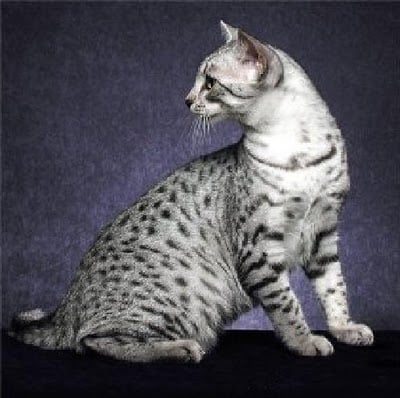
Bu egzersizde ve sonrakinde, ilgili maskeyi kullanarak kediyi görüntüden ayıracaksın. Önce maskeyi yükleyip ikili hale getirmen gerekiyor.
PIL içindeki Image, torchvision içindeki transforms ve torch senin için zaten içe aktarıldı.
Bu egzersiz, kursun bir parçasıdır
PyTorch ile Görüntüler için Deep Learning
Egzersiz talimatları
annotations/Egyptian_Mau_123.pngiçinde saklanan maske görüntüsünü yükle vemaskdeğişkenine ata.mask_tensor'dan birbinary_maskoluştur; her piksel değeri1/255olanları tensör değeri1.0ile, kalan pikselleri tensör değeri0.0ile ata.
Uygulamalı etkileşimli egzersiz
Bu egzersizi bu örnek kodu tamamlayarak deneyin.
# Load mask image
mask = ____

# Transform mask to tensor
transform = transforms.Compose([transforms.ToTensor()])
mask_tensor = transform(mask)

# Create binary mask
binary_mask = ____(
    ____,
    ____,
    ____,
)

# Print unique mask values
print(binary_mask.unique())