เพิ่มความโดดเด่นและคอนทราสต์ให้ภาพ
เคยอยากเพิ่มคอนทราสต์ให้ภาพถ่ายดูน่าประทับใจขึ้นไหม?
ในแบบฝึกหัดนี้ จะได้เพิ่มคอนทราสต์ให้กับภาพกาแฟสักแก้ว ซึ่งสามารถนำไปแชร์บนโซเชียลมีเดียได้เลย อย่าลืมใช้ #ImageProcessingDatacamp เป็นแฮชแท็กด้วยนะ!
แม้นี่จะไม่ใช่กาแฟยามเช้าของเรา แต่ก็สามารถนำวิธีการเดียวกันนี้ไปใช้กับภาพอื่น ๆ ได้เช่นกัน
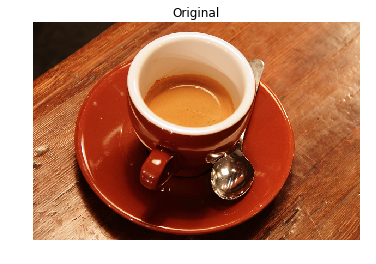
มีการกำหนดฟังก์ชัน show_image() ไว้ให้แล้ว สำหรับแสดงภาพด้วย Matplotlib โดยรับอาร์กิวเมนต์ image และ title ซึ่ง title มีค่าเริ่มต้นเป็น 'Original'
แบบฝึกหัดนี้เป็นส่วนหนึ่งของหลักสูตร
การประมวลผลภาพด้วย Python
คำแนะนำการฝึกหัด
- Import โมดูลที่มีฟังก์ชัน Contrast Limited Adaptive Histogram Equalization (CLAHE)
- โหลดภาพที่จะใช้งาน ซึ่งเป็นภาพถ้วยกาแฟ จากโมดูลที่เก็บภาพตัวอย่างสำหรับทดสอบ
- จากโมดูลที่ Import มา เรียกใช้ฟังก์ชันเพื่อ apply การปรับสมดุลฮิสโทแกรมแบบ adaptive กับภาพต้นฉบับ และตั้งค่า clip limit เป็น 0.03
แบบฝึกหัดเชิงโต้ตอบแบบลงมือทำ
ลองทำแบบฝึกหัดนี้โดยเติมโค้ดตัวอย่างนี้ให้สมบูรณ์
# Import the necessary modules
from skimage import data, ____

# Load the image
original_image = ____.coffee()

# Apply the adaptive equalization on the original image
adapthist_eq_image = ____.____(original_image, ____=____)

# Compare the original image to the equalized
show_image(original_image)
show_image(adapthist_eq_image, '#ImageProcessingDatacamp')