Apakah ada seseorang di sana?
Dalam latihan ini, Anda akan memeriksa apakah ada seseorang di sebuah gambar yang diambil pada malam hari.
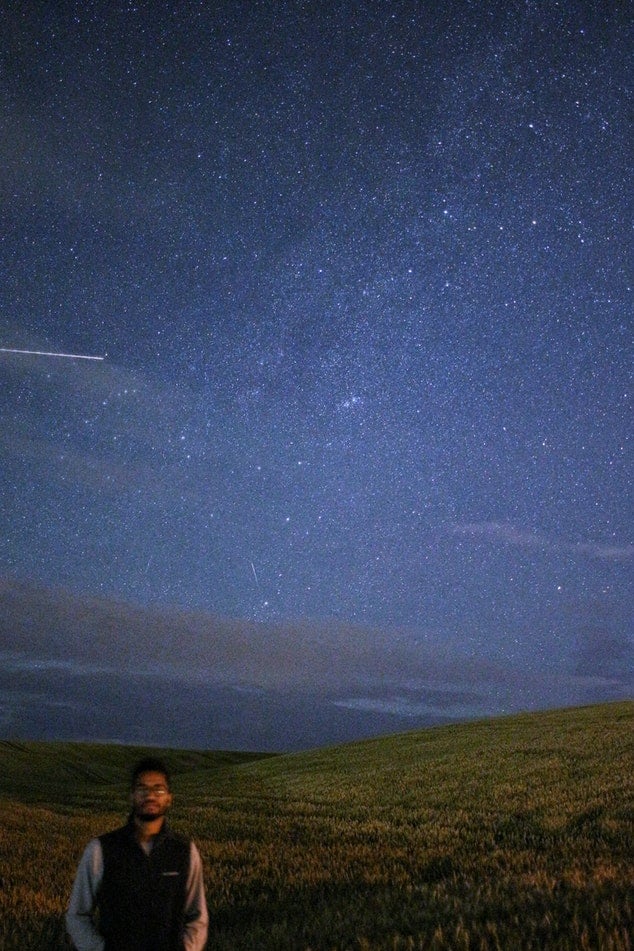
night_image.Kelas Cascade of classifiers dari modul feature sudah diimpor. Hal yang sama berlaku untuk fungsi show_detected_face(), yang digunakan untuk menampilkan wajah yang ditandai pada gambar dan melakukan pemotongan agar dapat ditampilkan secara terpisah.
Latihan ini merupakan bagian dari kursus
Pemrosesan Citra dengan Python
Instruksi latihan
- Muat berkas terlatih dari modul
data. - Inisialisasi detector cascade dengan berkas terlatih tersebut.
- Deteksi wajah pada gambar, dengan mengatur ukuran minimum jendela pencarian ke 10 piksel dan 200 piksel untuk ukuran maksimumnya.
Latihan interaktif langsung praktik
Cobalah latihan ini dengan melengkapi kode contoh ini.
# Load the trained file from data
trained_file = ____.lbp_frontal_face_cascade_filename()

# Initialize the detector cascade
detector = ____(____)

# Detect faces with min and max size of searching window
detected = detector.detect_multi_scale(img = night_image,
                                       scale_factor=1.2,
                                       step_ratio=1,
                                       min_size=(____),
                                       max_size=(____))

# Show the detected faces
show_detected_face(night_image, detected)