Moving Annual Total
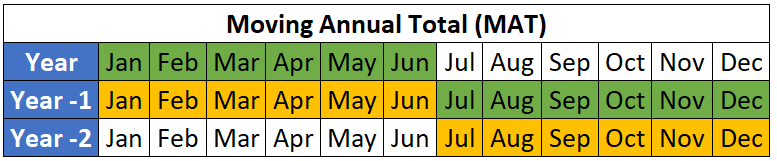
Anda telah menghitung nilai YTD pada latihan sebelumnya, tetapi Anda juga ingin melihat periode yang lebih panjang daripada YTD. Mari kita hitung Moving Annual Total (MAT) untuk semua titik data dalam latihan ini.
Pengingat: MAT adalah jumlah dari 12 bulan terakhir.
Anda dapat menyelesaikan latihan ini di DataCamp melalui lingkungan Excel di browser atau secara lokal di komputer Anda jika Anda memiliki Excel dan Copilot.
Jika progres Anda hilang, tutup laporan yang terbuka dan muat 1_4_moving_annual_total.xlsx dari folder Workbooks.
Latihan ini merupakan bagian dari kursus
Studi Kasus: Net Revenue Management di Excel
Latihan interaktif langsung
Ubah teori menjadi aksi dengan salah satu latihan interaktif kami
 Mulai latihan