Get startedGet started for free

Notification and audit-trail write-back

1. Notification and audit-trail write-back

The flow has the data, the email address, and the document link. Time to send the notification and then write back what happened, the audit-trail pattern that turns a one-shot script into a flow with a memory.

2. Send an email (V2)

Send an email (V2) lives on the Office 365 Outlook connector. It has three required fields, which are To, Subject, and Body. The To field accepts an email-address token straight from the dynamic content panel, semicolon-separated for multiple recipients. Subject and Body accept dynamic content and expressions. Advanced options open up CC, BCC, attachments, and importance, plus the Is HTML toggle. For anything beyond plain text, the body lives in HTML, and that's where you'll spend most of your formatting time.

3. Dynamic content vs expressions

The dynamic content panel lists every token the flow has produced so far, including fields from Get items, properties from Get user profile, the file's link from SharePoint. Drop one in and it renders inline. Expressions are the more powerful option: any Workflow Definition Language function, called inline, wrapped in at-curly-brace syntax. Use dynamic content where it works; reach for expressions when you need to transform a value, like format a date, concatenate strings, or do arithmetic. Both paths land in the same output destination, but they get there differently.

4. Formatting dates for humans

Dates from SharePoint, Dataverse, Excel, and any other connector arrive as ISO 8601 timestamps. 2026-08-15T00:00:00Z is great for sorting and terrible for emails. Use `formatDateTime` to render something a human reads. The format string follows .NET conventions: `D MMMM yyyy` gives 15 August 2026; `d MMM yyyy` gives 15 Aug 2026; `dddd, d MMMM yyyy` gives Saturday, 15 August 2026. The rule of thumb: every date that ends up in front of a person needs `formatDateTime`.

5. The audit-trail pattern is universal

Here's the shape of the audit-trail pattern, and it's universal: read what's needed, do the work, write back what changed so the next run knows. The connector for the write-back depends on the data source. Use Update item for SharePoint lists, Update a row for Dataverse, Update row for a SQL Server table, and Update a row for an Excel workbook. Same idea every time. Point at the row by a key column, list the fields to change, and leave everything else alone. In the exercises we'll use an Excel workbook for the write-back. The connector differs; the pattern doesn't.

6. The audit trail is the flow's memory

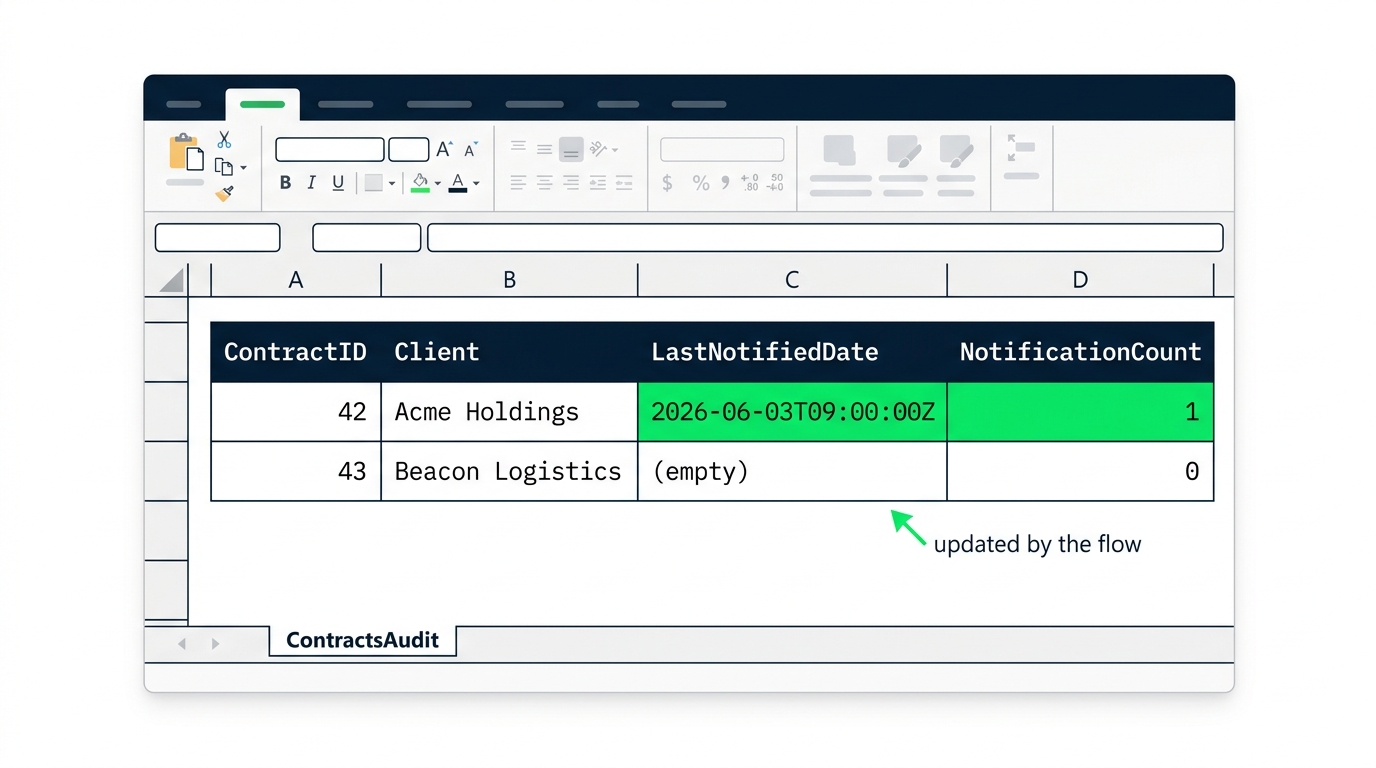
This is the discipline. A flow that doesn't write back is a flow that runs the same notification every day, forever. The audit trail isn't decoration. It's how the flow knows what it has already done. After Send an email, set `LastNotifiedDate` to `utcNow()` and increment `NotificationCount` by one. The next sweep reads those fields and skips rows already notified within some window. In production against the source store, this would be Update item on the SharePoint list, since the columns exist there for exactly this. In this course it's Update a row on a local Excel workbook, and you'll see in the next exercise that the shape of the action is identical: a key column, a key value, and the fields you actually want to change.

7. Let's practice!

Send, format, write the audit row. Now it's your turn.

Create Your Free Account

or

By continuing, you accept our Terms of Use, our Privacy Policy and that your data is stored in the USA.