Tạo mặt nạ nhị phân
Ảnh dùng cho bài toán phân đoạn thường được gán nhãn bằng các mặt nạ ở cấp độ pixel. Hãy xem bức ảnh một chú mèo Ai Cập Mau dưới đây.
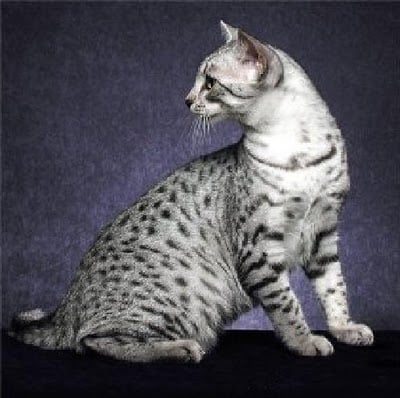
Trong bài này và bài tiếp theo, bạn sẽ dùng mặt nạ tương ứng để tách chú mèo ra khỏi ảnh. Đầu tiên, bạn cần tải mặt nạ và chuyển nó về dạng nhị phân.
Image từ PIL, transforms từ torchvision, và torch đã được nhập sẵn cho bạn.
Bài tập này là một phần của khóa học
Deep Learning cho Ảnh với PyTorch
Hướng dẫn bài tập
- Tải ảnh mặt nạ được lưu tại
annotations/Egyptian_Mau_123.pngvà gán vàomask. - Tạo
binary_masktừmask_tensorsao cho mỗi pixel bằng1/255được gán giá trị tensor1.0, và các pixel còn lại được gán giá trị tensor0.0.
Bài tập tương tác thực hành trực tiếp
Hãy thử làm bài tập này bằng cách hoàn thành đoạn mã mẫu này.
# Load mask image
mask = ____

# Transform mask to tensor
transform = transforms.Compose([transforms.ToTensor()])
mask_tensor = transform(mask)

# Create binary mask
binary_mask = ____(
    ____,
    ____,
    ____,
)

# Print unique mask values
print(binary_mask.unique())