L’algèbre linéaire des couches denses
Il existe deux façons de définir une couche dense dans tensorflow. La première s’appuie sur des opérations d’algèbre linéaire de bas niveau. La seconde utilise des opérations de haut niveau via keras. Dans cet exercice, nous allons utiliser la première méthode pour construire le réseau illustré dans l’image ci-dessous.
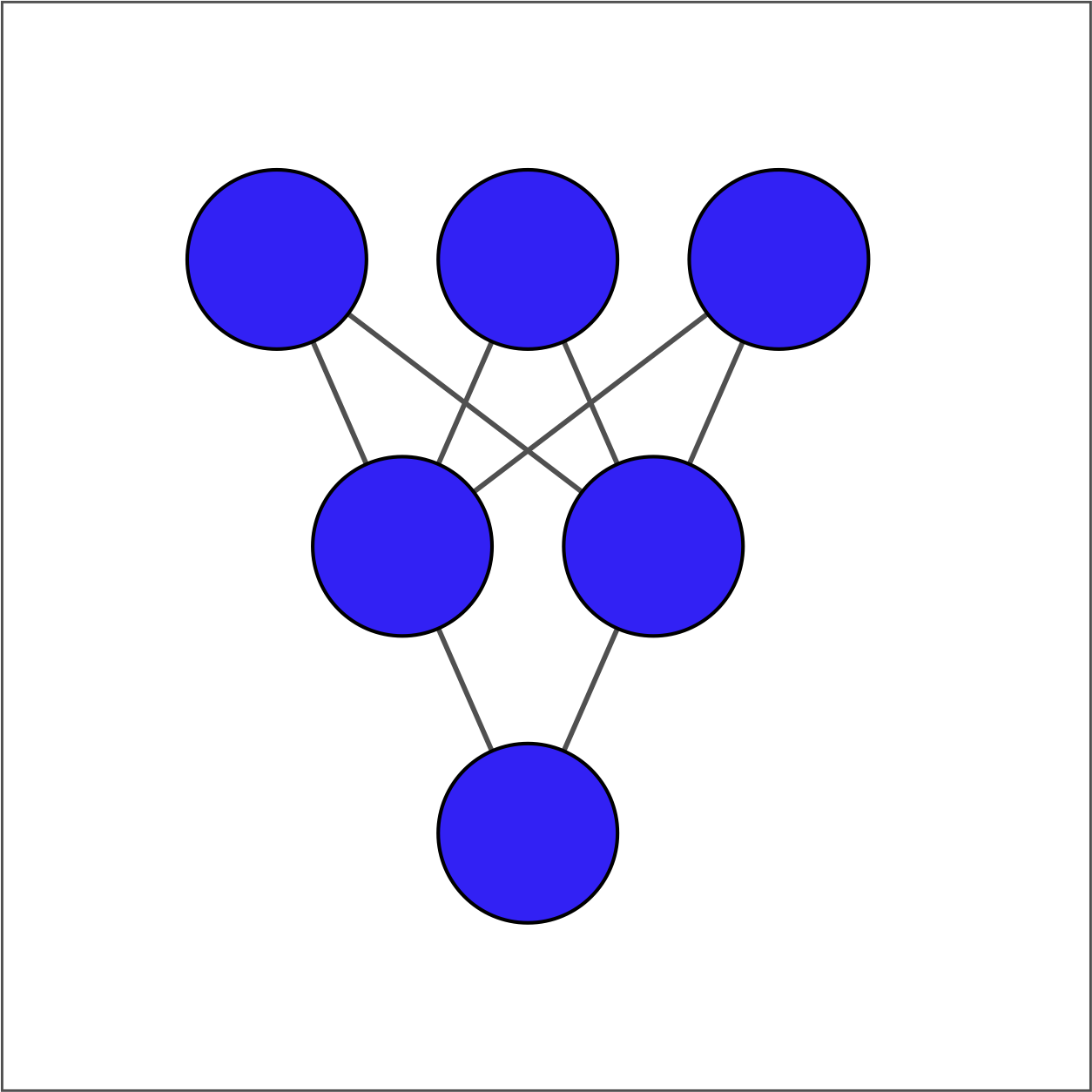
La couche d’entrée contient 3 variables — niveau d’études, situation matrimoniale et âge — disponibles sous le nom borrower_features. La couche cachée contient 2 nœuds et la couche de sortie contient un seul nœud.
Pour chaque couche, vous prendrez la couche précédente en entrée, initialiserez un jeu de poids, calculerez le produit des entrées par les poids, puis appliquerez une fonction d’activation. Notez que Variable(), ones(), matmul() et keras() ont été importés depuis tensorflow.
Cet exercice fait partie du cours
<cours>Introduction à TensorFlow en Python</cours>Exercice interactif pratique
Essayez cet exercice en complétant ce code d’exemple.
# Initialize bias1
bias1 = Variable(1.0)

# Initialize weights1 as 3x2 variable of ones
weights1 = ____(ones((____, ____)))

# Perform matrix multiplication of borrower_features and weights1
product1 = ____

# Apply sigmoid activation function to product1 + bias1
dense1 = keras.activations.____(____ + ____)

# Print shape of dense1
print("\n dense1's output shape: {}".format(dense1.shape))