Görüntüleri büyütme
Hiç bir görseli büyütmek için yeniden boyutlandırmayı denedin mi? Bu genellikle kalite kaybına yol açar ve büyütülen görsel bulanık görünür.
İyi haber şu ki, scikit-image’ın kullandığı algoritma belirli bir seviyeye kadar görselleri büyütmede oldukça başarılı.
Bu egzersizde bir görseli üç kat büyüteceksin!!
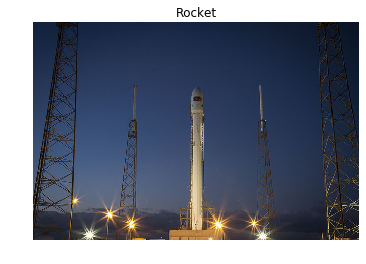
Bunu, data modülünden yüklenecek bir roket görselini yeniden ölçeklendirerek yapacaksın.
Bu egzersiz, kursun bir parçasıdır
Python ile Görüntü İşleme
Egzersiz talimatları
- Görselleri büyütmek için gereken modül ve fonksiyonu içe aktar; bunu yeniden ölçeklendirerek yapacaksın.
datamodülünü içe aktar.dataiçindenrocket()görselini yükle.rocket_image’i üç kat büyüt ve anti-aliasing filtresini uygula. Oturumunun zaman aşımına uğramaması içinmultichannel’ıTrueolarak ayarladığından emin ol!
Uygulamalı etkileşimli egzersiz
Bu egzersizi bu örnek kodu tamamlayarak deneyin.
# Import the module and function to enlarge images
from skimage.____ import ____

# Import the data module
from skimage import ____

# Load the image from data
rocket_image = ____.____()

# Enlarge the image so it is 3 times bigger
enlarged_rocket_image = ____(rocket_image, ____, ____=____, multichannel=____)

# Show original and resulting image
show_image(rocket_image)
show_image(enlarged_rocket_image, "3 times enlarged image")