Privacybescherming
Laten we een praktijkvoorbeeld bekijken van wat je in de cursus hebt geleerd.
In deze oefening detecteer je menselijke gezichten in de afbeelding en, omwille van privacy, anonimiseer je de data door de gezichten van mensen automatisch te vervagen.
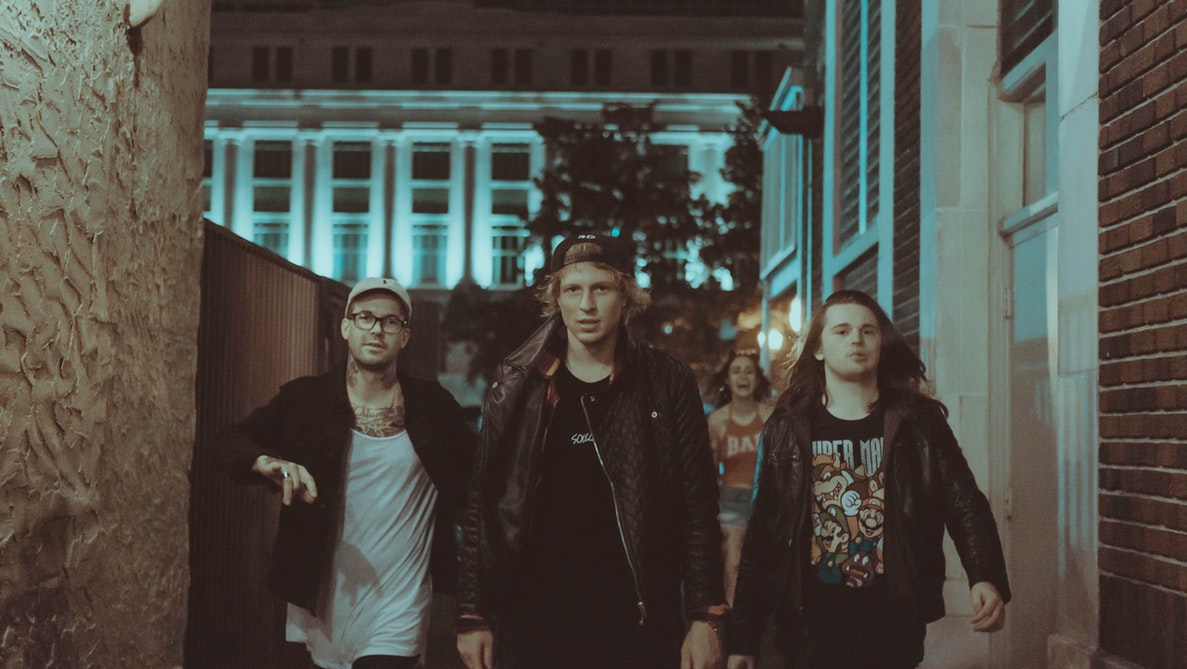
group_image.Je kunt het gaussian-filter gebruiken voor de vervaging.
De gezichtsdetector is klaar voor gebruik als detector en alle benodigde pakketten zijn geïmporteerd.
Deze oefening maakt deel uit van de cursus
Beeldverwerking in Python
Oefeninstructies
- Detecteer de gezichten in de afbeelding met de
detectoren stel de minimale grootte van het zoekvenster in op 10 bij 10 pixels. - Loop met een for-lus door elk gedetecteerd gezicht.
- Pas een gaussian-filter toe om gezichten te detecteren en te vervagen, met een sigma van 8.
Interactieve oefening met praktijkervaring
Probeer deze oefening door deze voorbeeldcode aan te vullen.
# Detect the faces
detected = ____.____(img=____,
                                       scale_factor=1.2, step_ratio=1,
                                       min_size=____, max_size=(100, 100))
# For each detected face
for d in ____:
    # Obtain the face rectangle from detected coordinates
    face = getFaceRectangle(d)

    # Apply gaussian filter to extracted face
    blurred_face = ____(face, multichannel=____, sigma = ____)

    # Merge this blurry face to our final image and show it
    resulting_image = mergeBlurryFace(group_image, blurred_face)
show_image(resulting_image, "Blurred faces")