Monte Carlo sampling สำหรับโมเดล discrete-event ด้วย SimPy
ต่อไปจะสร้างการวิเคราะห์ Monte Carlo sampling แบบเดิม แต่ใช้โมเดลเวอร์ชัน SimPy แทน โมเดล SimPy มี generator ชื่อ manufacturing_process สำหรับจำลองกระบวนการต่าง ๆ และฟังก์ชันชื่อ run_monte_carlo สำหรับรันโมเดลหลายครั้ง โดยเก็บข้อมูลไว้ใน NumPy array ชื่อ time_record
โค้ดที่ใช้พล็อตผลลัพธ์มีโครงสร้างคล้ายกับแบบฝึกหัดก่อนหน้า แต่ถูกย้ายไปไว้ในฟังก์ชันชื่อ plot_results() ดังที่แสดงด้านล่าง
def plot_results():

    df_disc = pd.DataFrame({cNam[0]: process_line_space, cNam[1]: time_record})
    fig = sns.lineplot(data=df_disc, x=cNam[0], y=cNam[1], marker="o")
    fig.set(xlim=(0, len(processes) + 1))
    plt.plot()
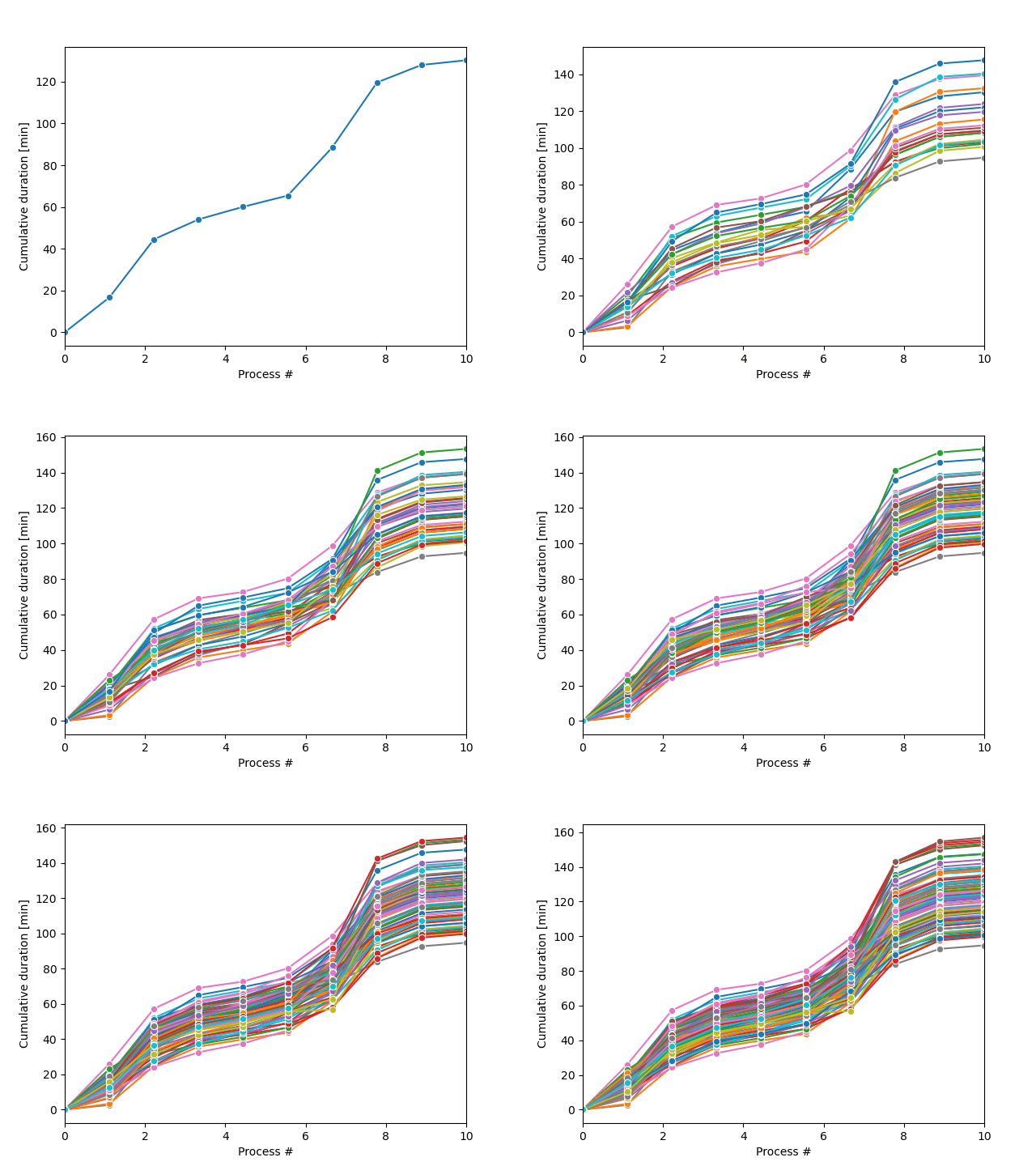
ลูป Monte Carlo sampling จะสร้างกลุ่มของเส้นทางกระบวนการที่เป็นไปได้ ดังที่แสดงในภาพ
แบบฝึกหัดนี้เป็นส่วนหนึ่งของหลักสูตร
การจำลองเหตุการณ์แบบไม่ต่อเนื่องด้วย Python
คำแนะนำการฝึกหัด
- นับเวลาและ yield
process_duration - บันทึกเวลาปัจจุบันลงใน
time_record - รัน for-loop สำหรับ
n_trajectoriesตัวอย่าง โดยใช้ตัวแปรดัมมีt - สร้าง SimPy environment เพิ่มกระบวนการ และรันโมเดล
แบบฝึกหัดเชิงโต้ตอบแบบลงมือทำ
ลองทำแบบฝึกหัดนี้โดยเติมโค้ดตัวอย่างนี้ให้สมบูรณ์
def manufacturing_process(env):
    global time_record
    for p in range(len(processes)):
        proc_p = processes[p]
        process_duration = random.gauss(proc_p["Average_Duration"], proc_p["Standard_Deviation"])

        # Clock-in and yield the process_duration
        yield ____

        # Save the current time in time_record
        time_record[p + 1] = ____

def run_monte_carlo(n_trajectories):

    # Run a for-loop for n_trajectories samples with dummy variable t
    ____

        # Create the SimPy environment, add processes and run the model
        env = ____
        env.____(manufacturing_process(env))
        env.____()

        plot_results()
    plt.show()

run_monte_carlo(n_trajectories = 100)