Оптимизация производства: поиск и остановка
Воспользуемся моделью фабрики настенных часов, созданной в предыдущем упражнении, и применим подход «поиск и остановка» на основе метода Монте-Карло, чтобы выявить критические узкие места производственного процесса.
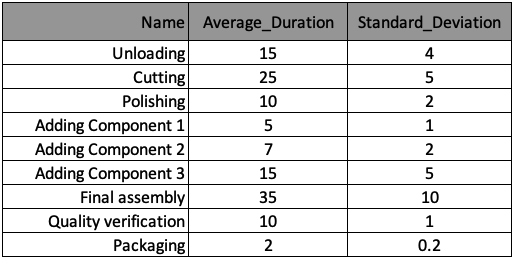
Производственный процесс описан в таблице ниже. Данные сохранены в виде списка словарей под названием processes — по одному словарю на каждый процесс. Ключи словаря соответствуют заголовкам столбцов таблицы.
Метод plot_results() для построения графиков в этом упражнении уже загружен и представлен ниже.
def plot_results():
    df_disc = pd.DataFrame({cNam[0]: process_line_space, cNam[1]: time_record})
    fig = sns.lineplot(data=df_disc, x=cNam[0], y=cNam[1], marker='o')
    plt.grid()
    fig.set(xlim=(0, len(processes)))
    fig.set(ylim=(0, 180))
    fig.set(xticks=process_line_space)
    plt.plot()
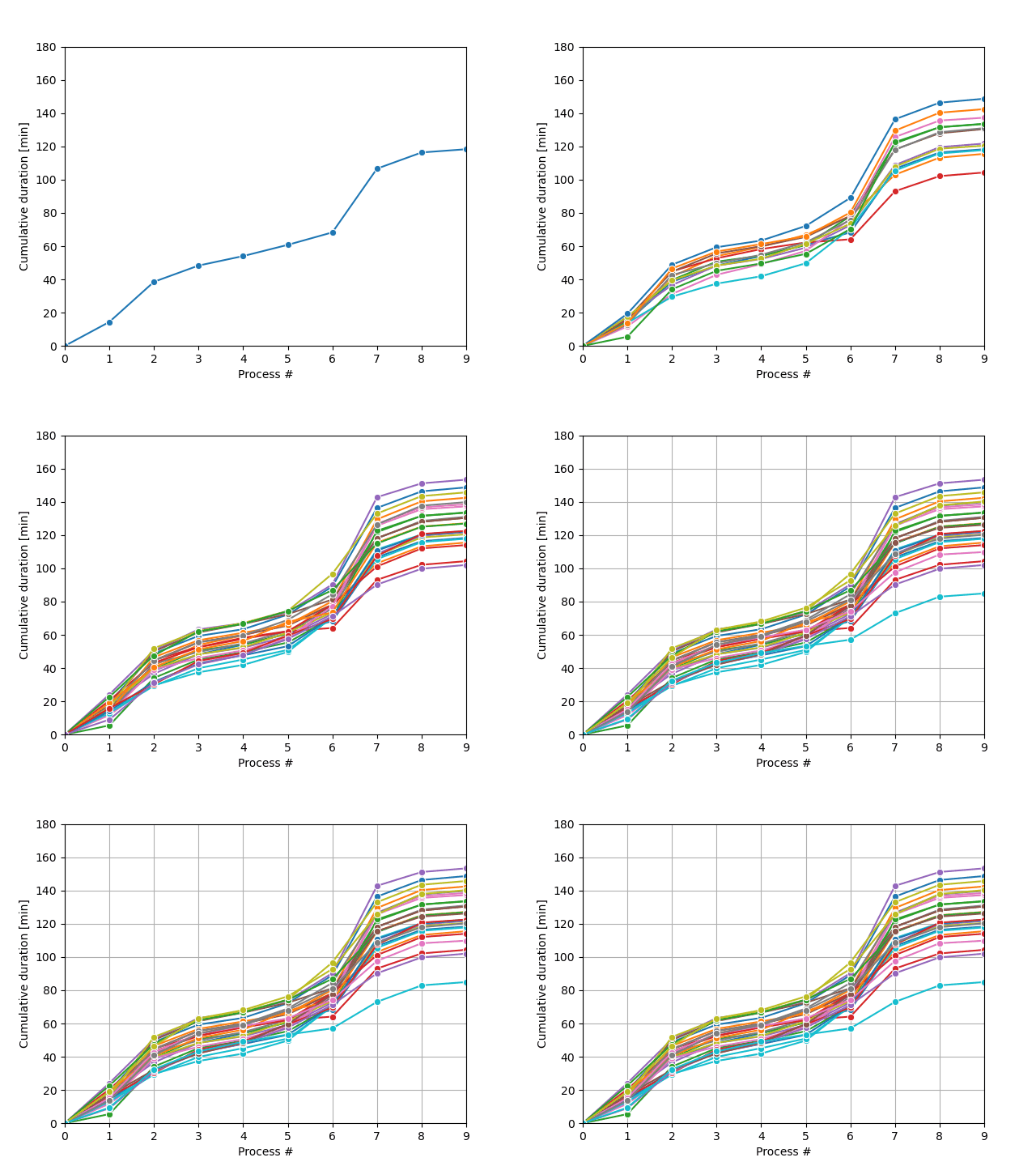
Цикл выборки Монте-Карло будет генерировать возможные траектории процессов и остановится, когда выполнится нужное условие, как показано на рисунке.
Это упражнение является частью курса
Дискретно-событийное моделирование на Python
Инструкции к упражнению
- Задайте цикл для запуска траекторий моделирования, который выполняется, пока
run_iравно нулю илиtotal_duration[run_i]превышает 85 часов (то есть условие остановки:total_duration[run_i]меньше или равно 85 часам). - Запустите механизм Монте-Карло, вызвав функцию
run_monte_carlo().
Интерактивное практическое упражнение
Попробуйте выполнить это упражнение, дополнив этот пример кода.
def run_monte_carlo():
    run_i = 0

    # While-loop with the stop condition
    ____

        run_i += 1
        env = simpy.Environment()
        env.process(manufractoring_process(env))
        env.run()
        plot_results()
    plt.show()

# Call the run_monte_carlo function
____