Binaire masks maken
Afbeeldingen voor segmentatietaken worden meestal geannoteerd met maskers op pixelniveau. Bekijk deze afbeelding van een Egyptian Mau-kat.
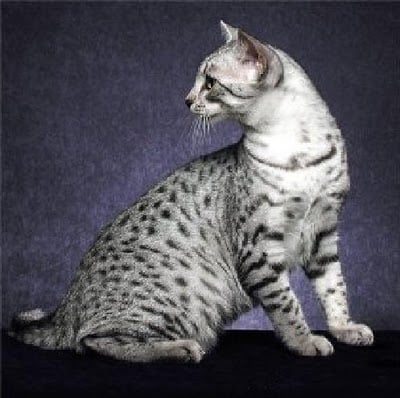
In deze en de volgende oefening gebruik je het bijbehorende masker om de kat uit de afbeelding te segmenteren. Eerst laad je het masker en maak je het binair.
Image uit PIL, transforms uit torchvision en torch zijn al voor je geïmporteerd.
Deze oefening maakt deel uit van de cursus
Deep Learning voor afbeeldingen met PyTorch
Oefeninstructies
- Laad de maskerafbeelding uit
annotations/Egyptian_Mau_123.pngen ken deze toe aanmask. - Maak een
binary_maskvanmask_tensorwaarbij elke pixel die gelijk is aan1/255de tensorwaarde1.0krijgt en de overige pixels de tensorwaarde0.0.
Interactieve oefening met praktijkervaring
Probeer deze oefening door deze voorbeeldcode aan te vullen.
# Load mask image
mask = ____

# Transform mask to tensor
transform = transforms.Compose([transforms.ToTensor()])
mask_tensor = transform(mask)

# Create binary mask
binary_mask = ____(
    ____,
    ____,
    ____,
)

# Print unique mask values
print(binary_mask.unique())