Explorer les cuisines : nuages de mots
Nous espérons que vous prenez plaisir à créer ces applications Shiny gourmandes ! Un moyen pratique de visualiser un grand volume de données est le nuage de mots. Dans cet exercice, vous allez étendre l’application Shiny construite précédemment et ajouter un nouvel onglet qui affiche les ingrédients distinctifs les plus fréquents sous forme de nuage de mots interactif.
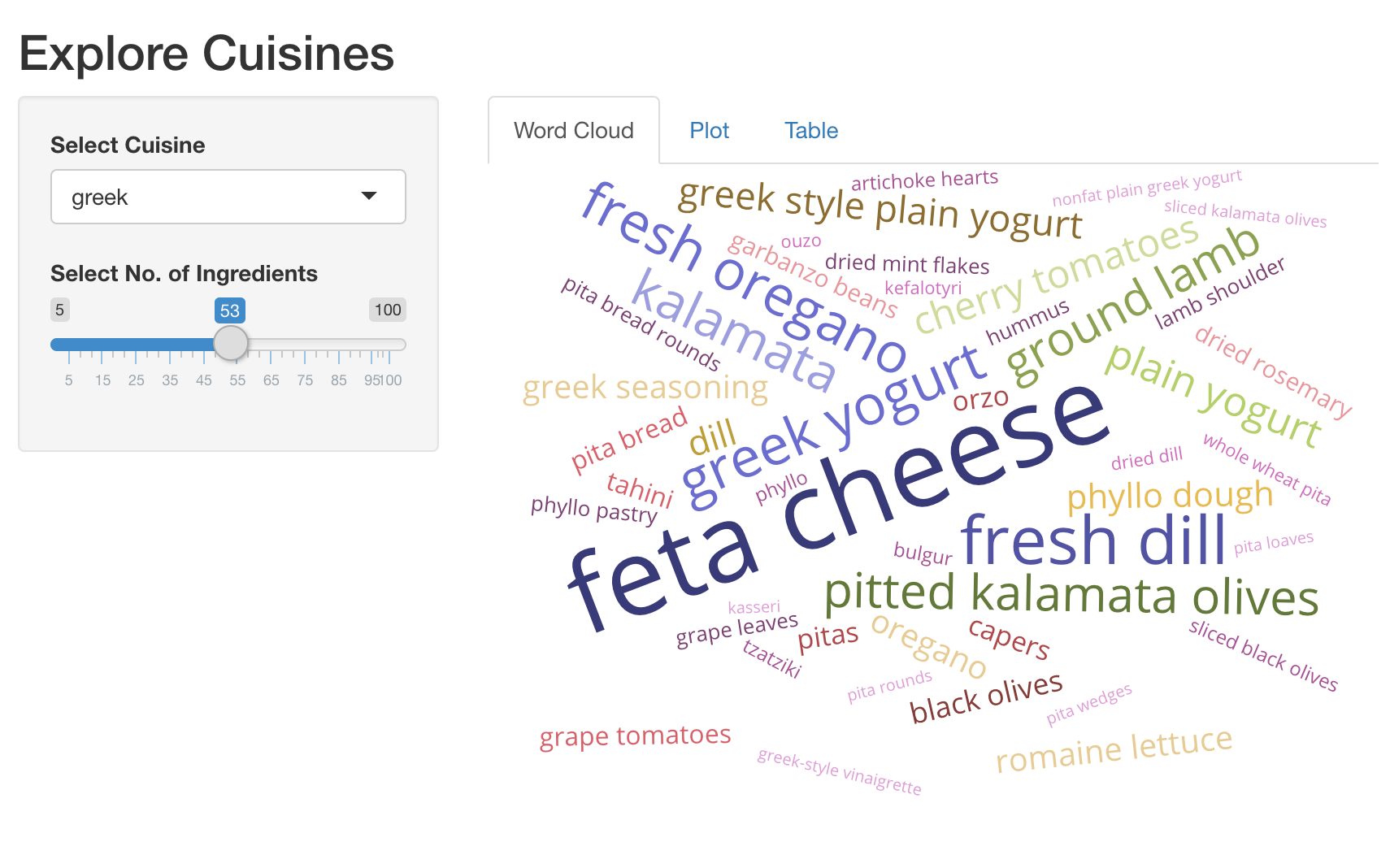
Nous avons déjà chargé les packages shiny, dplyr, ggplot2, plotly et
d3wordcloud. Voici un extrait pratique pour créer un nuage de mots.
d3wordcloud(
  words = c('hello', 'world', 'good'),
  freqs = c(20, 40, 30),
  tooltip = TRUE
)
Cet exercice fait partie du cours
<cours>Créer des applications web avec Shiny en R</cours>Instructions de l’exercice
- UI : ajoutez un
d3wordcloudOutput()nomméwc_ingredients, et encapsulez-le dans untabPanel(). Cela doit être le premiertabPanel()de votre application. - Server : générez un nuage de mots interactif des ingrédients principaux et du
nombre de recettes dans lesquelles ils sont utilisés, en utilisant
d3wordcloud::renderD3wordcloud()et assignez-le à une sortie nomméewc_ingredients. Vous devrez utiliser l’expression réactiverval_top_ingredients()pour renvoyer un data frame des ingrédients principaux avec leurs nombres de recettes.
Exercice interactif pratique
Essayez cet exercice en complétant ce code d’exemple.
ui <- fluidPage(
  titlePanel('Explore Cuisines'),
  sidebarLayout(
    sidebarPanel(
      selectInput('cuisine', 'Select Cuisine', unique(recipes$cuisine)),
      sliderInput('nb_ingredients', 'Select No. of Ingredients', 5, 100, 20),
    ),
    mainPanel(
      tabsetPanel(
        # CODE BELOW: Add `d3wordcloudOutput` named `wc_ingredients` in a `tabPanel`

        tabPanel('Plot', plotly::plotlyOutput('plot_top_ingredients')),
        tabPanel('Table', DT::DTOutput('dt_top_ingredients'))
      )
    )
  )
)

server <- function(input, output, session){
  # CODE BELOW: Render an interactive wordcloud of top ingredients and
  # the number of recipes they get used in, using `d3wordcloud::renderD3wordcloud`,
  # and assign it to an output named `wc_ingredients`.


  rval_top_ingredients <- reactive({
    recipes_enriched %>%
      filter(cuisine == input$cuisine) %>%
      arrange(desc(tf_idf)) %>%
      head(input$nb_ingredients) %>%
      mutate(ingredient = forcats::fct_reorder(ingredient, tf_idf))
  })
  output$plot_top_ingredients <- plotly::renderPlotly({
    rval_top_ingredients() %>%
      ggplot(aes(x = ingredient, y = tf_idf)) +
      geom_col() +
      coord_flip()
  })
  output$dt_top_ingredients <- DT::renderDT({
    recipes %>%
      filter(cuisine == input$cuisine) %>%
      count(ingredient, name = 'nb_recipes') %>%
      arrange(desc(nb_recipes)) %>%
      head(input$nb_ingredients)
  })
}

shinyApp(ui = ui, server= server)