Upload the new index
Sam is almost done! In the last exercise, she generated a new directory listing, storing it in the objects_df variable:
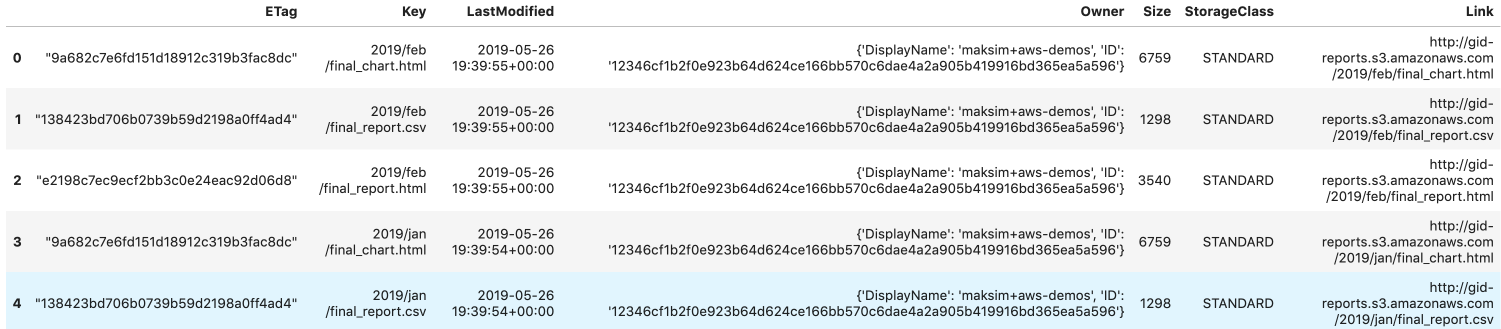
Sam has created the boto3 S3 client in the s3 variable. objects_df is populated with the new directory listing from the previous exercise.
The next step is to write objects_df to an HTML file, and upload it to S3 replacing the current 'index.html' file.
Help Sam update the directory listing, letting the public access reports for February as well as January!
Bu egzersiz, kursun bir parçasıdır
Introduction to AWS Boto in Python
Egzersiz talimatları
- Write
objects_dfto an HTML file'report_listing.html'with clickable links. - The HTML file should only contain
'Link','LastModified', and'Size'columns. - Overwrite the
'index.html'on S3 by uploading the new version of the file.
Uygulamalı etkileşimli egzersiz
Bu egzersizi bu örnek kodu tamamlayarak deneyin.
# Write objects_df to an HTML file
objects_df.____('report_listing.html',
    # Set clickable links
    ____=True,
	# Isolate the columns
    ____=['____', '____', '____'])

# Overwrite index.html key by uploading the new file
s3.upload_file(
  Filename='./report_listing.html', Key='____',
  Bucket='gid-reports',
  ____ = {
    'ContentType': '____',
    'ACL': 'public-read'
  })