Translating Get It Done requests
Often, Get It Done requests come in with multiple languages in the description. This is a challenge for many City teams. In order to review the requests, many city teams need to have a translator on staff, or hope they know someone who speaks the language.
The Streets director asked Sam to help. He wanted her to translate the Get It Done requests by running a job at the end of every day.
Sam decides to run the requests through the AWS translate service. She has already loaded the CSV into the dumping_df variable and subset it to the following columns:
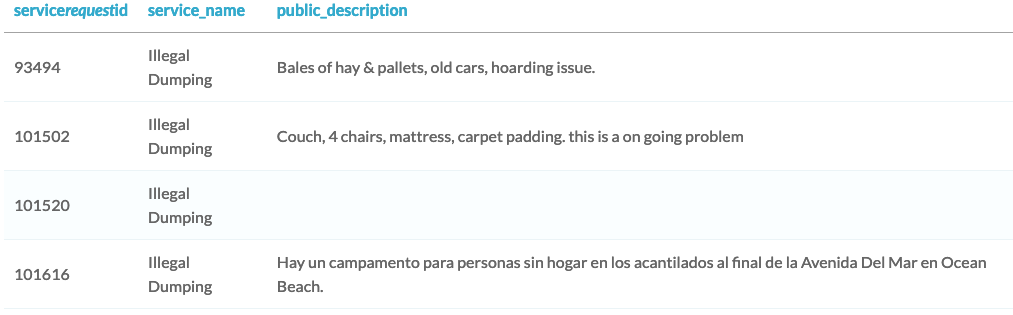
Help Sam translate the requests to Spanish by running them through the AWS translate service!
Bu egzersiz, kursun bir parçasıdır
Introduction to AWS Boto in Python
Egzersiz talimatları
- For each row in the DataFrame, translate it to English.
- Store the original language in the
original_langcolumn. - Store the new translation in the
translated_desccolumn.
Uygulamalı etkileşimli egzersiz
Bu egzersizi bu örnek kodu tamamlayarak deneyin.
for index, row in dumping_df.iterrows():
  	# Get the public_description into a variable
    description = dumping_df.loc[index, 'public_description']
    if description != '':
      	# Translate the public description
        resp = translate.____(
            ____=description,
            ____='auto', ____='en')
        # Store original language in original_lang column
        dumping_df.loc[index, 'original_lang'] = resp['____']
        # Store the translation in the translated_desc column
        dumping_df.loc[index, 'translated_desc'] = resp['____']
# Preview the resulting DataFrame
dumping_df = dumping_df[['service_request_id', 'original_lang', 'translated_desc']]
dumping_df.head()