간단한 Bash 스크립트
첫 번째 IDE 연습 문제에 오신 것을 환영합니다! 왼쪽에는 여러 폴더와 파일이 있는 디렉터리가 있어요. 파일을 열면 오른쪽 창에서 코드를 볼 수 있습니다. 몇 초마다 자동 저장되지만, 원하시면 cmd + s(mac) 또는 ctrl + s(windows)로 직접 저장할 수도 있어요.
스크립트는 run this file 버튼을 사용하거나 아래 터미널 창에서(bash script.sh 명령) 실행할 수 있습니다. 실제 업무 환경을 연습하려면 터미널에서 실행하는 습관이 좋아요. 인수를 다룰 때도 터미널 실행이 필요합니다.
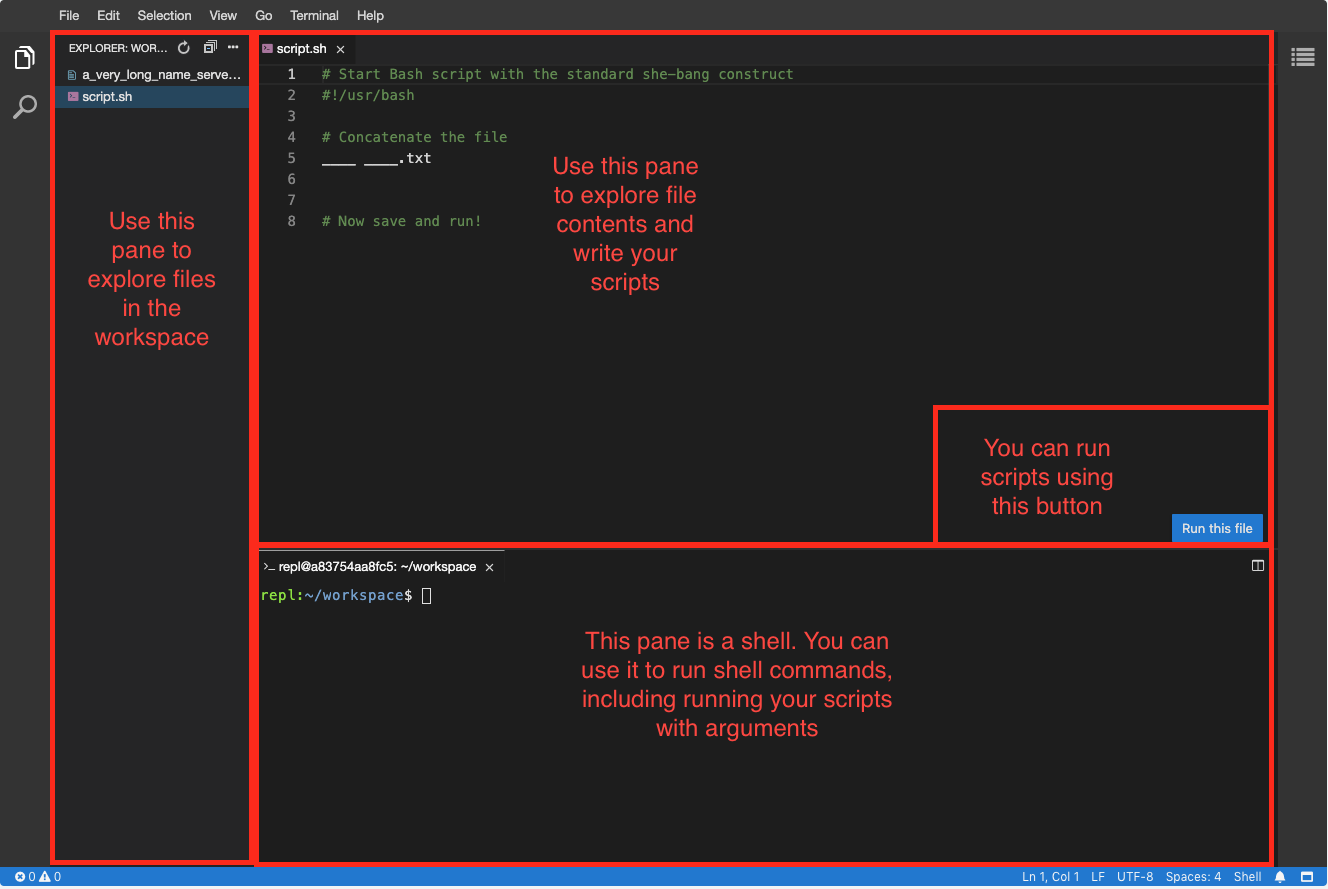
이제 아주 기본적인 예제로 시작해서 명령줄(셸) 명령을 Bash 스크립트로 바꾸는 연습을 해볼게요. 에디터에는 첫 번째 줄이 이미 작성되어 있습니다. 이것을 'hash-bang' 또는 'shebang'이라고 부른다는 것 기억하시나요? 이 환경에서는 bash가 /usr/bash가 아니라 /bin/bash에 있습니다. which bash 명령으로 확인할 수 있어요.
작업 디렉터리에 server_log_with_todays_date.txt라는 파일이 있습니다. 이 파일의 내용을 터미널에 이어붙여(concatenate) 출력해서 안에 무엇이 들어 있는지 볼 수 있도록, 간단한 Bash 스크립트를 작성해 보세요.
이 연습은 강의의 일부입니다
