Image preprocessing
In this exercise, you will use the flickr dataset, which has 30,000 images and associated captions, to perform preprocessing operations on images. This preprocessing is needed to make the image data suitable for inferencing with Hugging Face model tasks, such as text generation from images. In this case, you'll generate a text caption for this image:
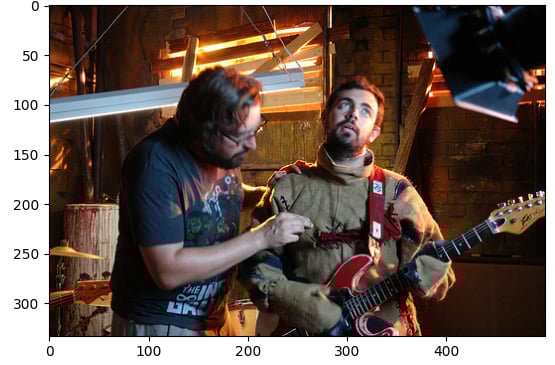
The dataset (dataset) has been loaded with the following structure:
Dataset({
    features: ['image', 'caption', 'sentids', 'split', 'img_id', 'filename'],
    num_rows: 10
})
The image-captioning model (model) has been loaded.
Latihan ini merupakan bagian dari kursus
Multi-Modal Models with Hugging Face
Instruksi latihan
- Load the image from the element at index
5of the dataset. - Load the image processor (
BlipProcessor) of the pretrained model:Salesforce/blip-image-captioning-base. - Execute the processor on
image, making sure to specify that PyTorch tensors (pt) are required. - Use the
.generate()method to create a caption using themodel.
Latihan interaktif langsung praktik
Cobalah latihan ini dengan melengkapi kode contoh ini.
# Load the image from index 5 of the dataset
image = dataset[5]["____"]

# Load the image processor of the pretrained model
processor = ____.____("Salesforce/blip-image-captioning-base")

# Preprocess the image
inputs = ____(images=____, return_tensors="pt")

# Generate a caption using the model
output = ____(**inputs)
print(f'Generated caption: {processor.decode(output[0])}')
print(f'Original caption: {dataset[5]["caption"][0]}')