Membuat mask biner
Gambar untuk tugas segmentasi biasanya diberi anotasi dengan mask pada tingkat piksel. Pertimbangkan gambar kucing Egyptian Mau berikut.
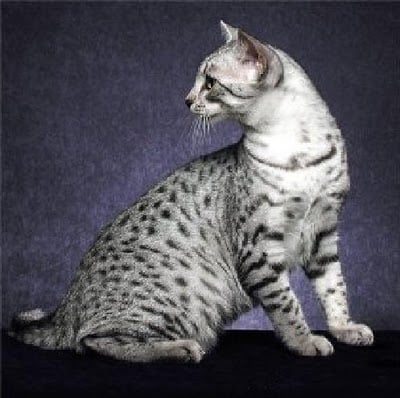
Dalam latihan ini dan berikutnya, Anda akan menggunakan mask terkait untuk mengekstraksi kucing dari gambar. Pertama, Anda perlu memuat mask tersebut dan melakukan binarisasi.
Image dari PIL, transforms dari torchvision, dan torch sudah diimpor untuk Anda.
Latihan ini merupakan bagian dari kursus
Deep Learning untuk Gambar dengan PyTorch
Instruksi latihan
- Muat gambar mask yang disimpan di
annotations/Egyptian_Mau_123.pngdan tetapkan kemask. - Buat
binary_maskdarimask_tensordi mana setiap piksel yang sama dengan1/255diberi nilai tensor1.0, dan piksel lainnya diberi nilai tensor0.0.
Latihan interaktif langsung praktik
Cobalah latihan ini dengan melengkapi kode contoh ini.
# Load mask image
mask = ____

# Transform mask to tensor
transform = transforms.Compose([transforms.ToTensor()])
mask_tensor = transform(mask)

# Create binary mask
binary_mask = ____(
    ____,
    ____,
    ____,
)

# Print unique mask values
print(binary_mask.unique())