Crear un bucket
Sam está dando sus primeros pasos para preparar su primera canalización.
Get It Done es la app que la ciudad lanzó para que los residentes informen de problemas. Hay muchos problemas que reportar y se genera una gran cantidad de datos.
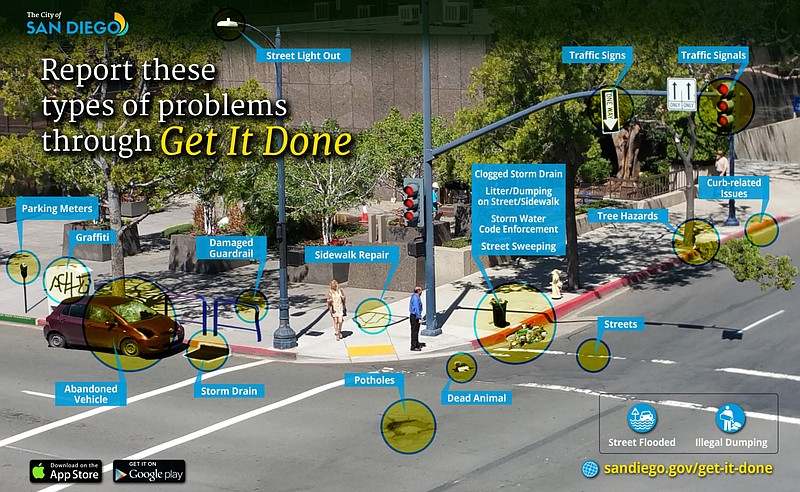
Recogerá los informes diarios generados por Get It Done y los colocará en el bucket 'gim-staging'. Luego limpiará los datos y pondrá el nuevo conjunto de datos en el bucket 'gim-processed'.
También quiere crear un bucket 'gim-test' para hacer pruebas.
Ayuda a Sam a dar el primer paso hacia su canalización. ¡Ayúdala a crear su primer bucket, 'gim-staging'!
Este ejercicio forma parte del curso
Introducción a AWS Boto en Python
Instrucciones del ejercicio
- Crea un cliente de
boto3para S3. - Crea los buckets
'gim-staging','gim-processed'y'gim-test'. - Imprime la respuesta de la creación del bucket
'gim-staging'.
ejercicio interactivo práctico
Prueba este ejercicio completando este código de ejemplo.
import boto3

# Create boto3 client to S3
s3 = boto3.____('____', region_name='us-east-1',
                         aws_access_key_id=AWS_KEY_ID,
                         aws_secret_access_key=AWS_SECRET)

# Create the buckets
response_staging = s3.____(____='gim-staging')
response_processed = s3.____(____='gim-processed')
response_test = s3.____(____='gim-test')

# Print out the response
print(response_staging)