Circular references
As you saw in the previous exercise, when the value in a referenced cell changed, any referencing cells update instantly.
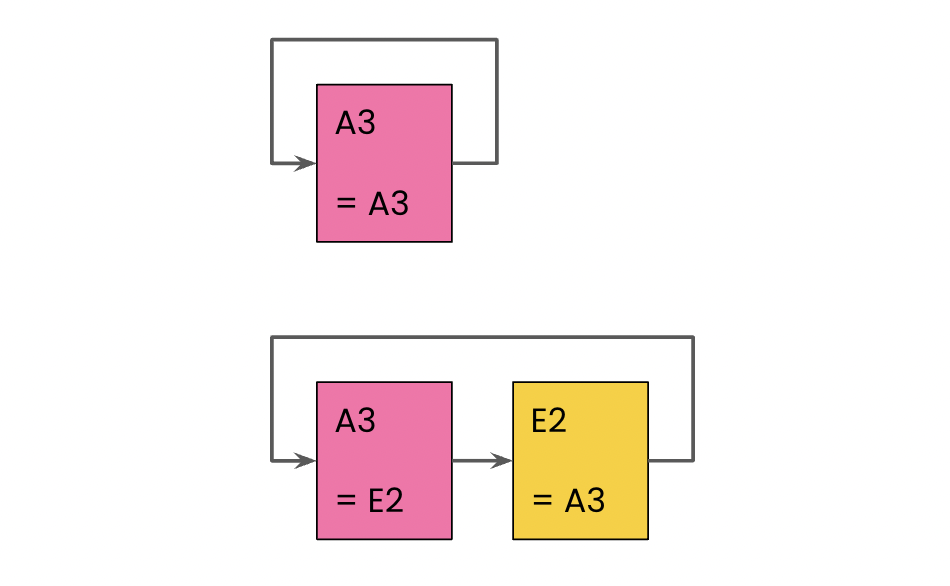
This behavior is incredibly useful in most cases, but it open up the possibility of creating circular references. A circular reference directly, or via a chain of other references, refers to itself:
In this exercise, you'll experiment with cell references to help you identify circular references.
Take a look at the cell references in the Continent column. Which of the following cell reference changes won't create a circular dependency issue?
Bài tập này là một phần của khóa học
Giới thiệu về Google Sheets
Bài tập tương tác thực hành
Biến lý thuyết thành hành động với một trong các bài tập tương tác của chúng tôi
 Bắt đầu bài tập