Circular references
As you saw in the previous exercise, when the value in a referenced cell changed, any referencing cells update instantly.
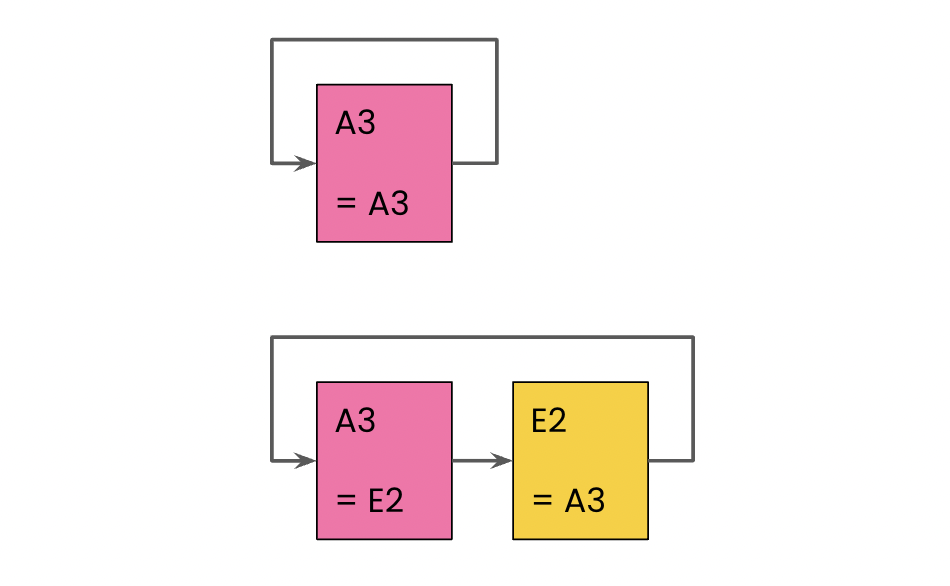
This behavior is incredibly useful in most cases, but it open up the possibility of creating circular references. A circular reference directly, or via a chain of other references, refers to itself:
In this exercise, you'll experiment with cell references to help you identify circular references.
Take a look at the cell references in the Continent column. Which of the following cell reference changes won't create a circular dependency issue?
Deze oefening maakt deel uit van de cursus
Introductie tot Google Sheets
Interactieve oefening met praktijkervaring
Zet theorie om in actie met een van onze interactieve oefeningen
 Begin oefening