Crea il tuo primo stream Firehose
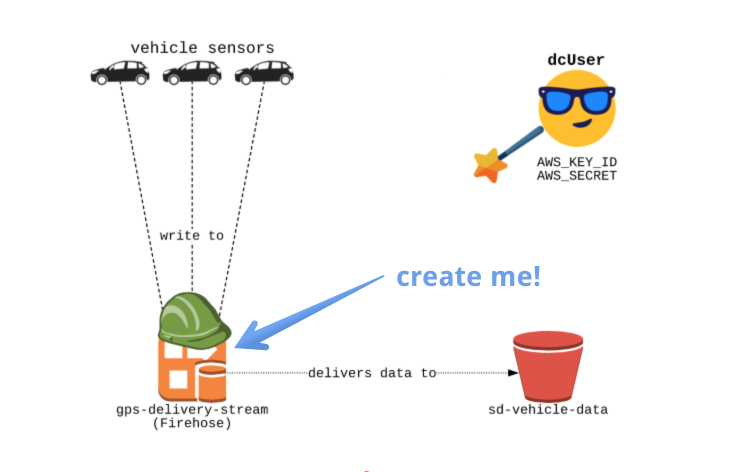
Ora che tutti i pezzi sono al loro posto, sei pronto a creare il tuo primo delivery stream Firehose. Questo ti permetterà di inviare dati allo stream, che a sua volta li salverà nel bucket S3.
Setup
Nota il file _setup.py; in questo file creeremo i client boto3 per firehose e s3.
Non devi modificarlo per gli esercizi, ma se vuoi puoi dargli un'occhiata!
File da modificare
Modificherai il file create_firehose.py nell'editor.
Bucket S3 di destinazione
Creerai un bucket S3 "sd-vehicle-data" da usare come destinazione per il nostro stream.
Role
Il role che abbiamo creato è "fireHoseDeliveryRole" con ARN: "arn:aws:iam::0000000:role/firehoseDeliveryRole".
Questo role permetterà al nuovo stream Firehose di scrivere nel bucket "sd-vehicle-data".
Slides
Non dimenticare: puoi sempre fare clic sull’icona delle Slides in alto a destra per vedere le diapositive — ti saranno molto utili!
Questo esercizio fa parte del corso
Dati in streaming con AWS Kinesis e Lambda
esercizio interattivo pratico
Trasforma la teoria in pratica con uno dei nostri esercizi interattivi
 Inizia esercizio