Circular references
As you saw in the previous exercise, when the value in a referenced cell changed, any referencing cells update instantly.
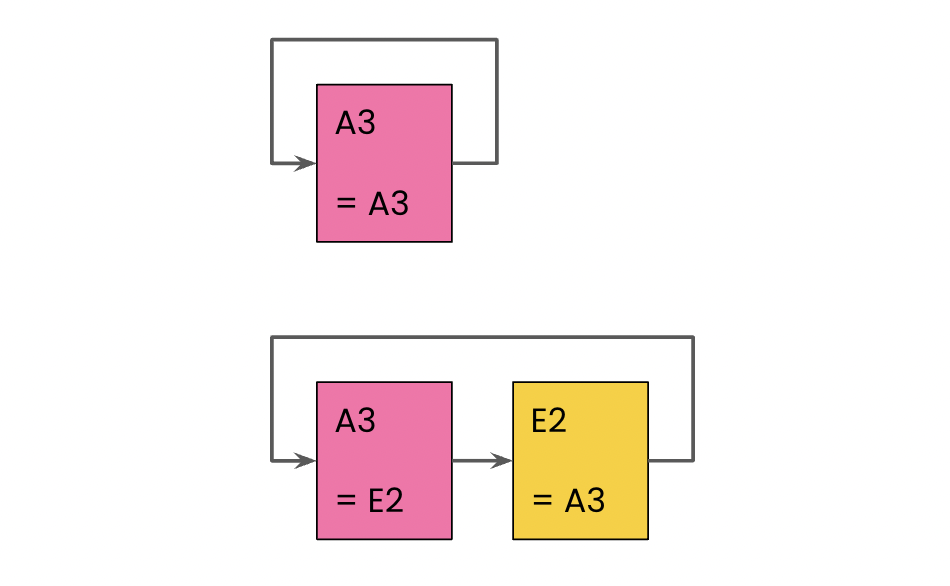
This behavior is incredibly useful in most cases, but it open up the possibility of creating circular references. A circular reference directly, or via a chain of other references, refers to itself:
In this exercise, you'll experiment with cell references to help you identify circular references.
Take a look at the cell references in the Continent column. Which of the following cell reference changes won't create a circular dependency issue?
Questo esercizio fa parte del corso
Introduzione a Google Sheets
esercizio interattivo pratico
Trasforma la teoria in pratica con uno dei nostri esercizi interattivi
 Inizia esercizio