Planning a cross-file edit
With Claude Code briefed on the codebase from your /init session, you can pick up your first real ticket from the team backlog.
Your status bar shows "String Replace Editor" for every file action, too technical and confusing for users.
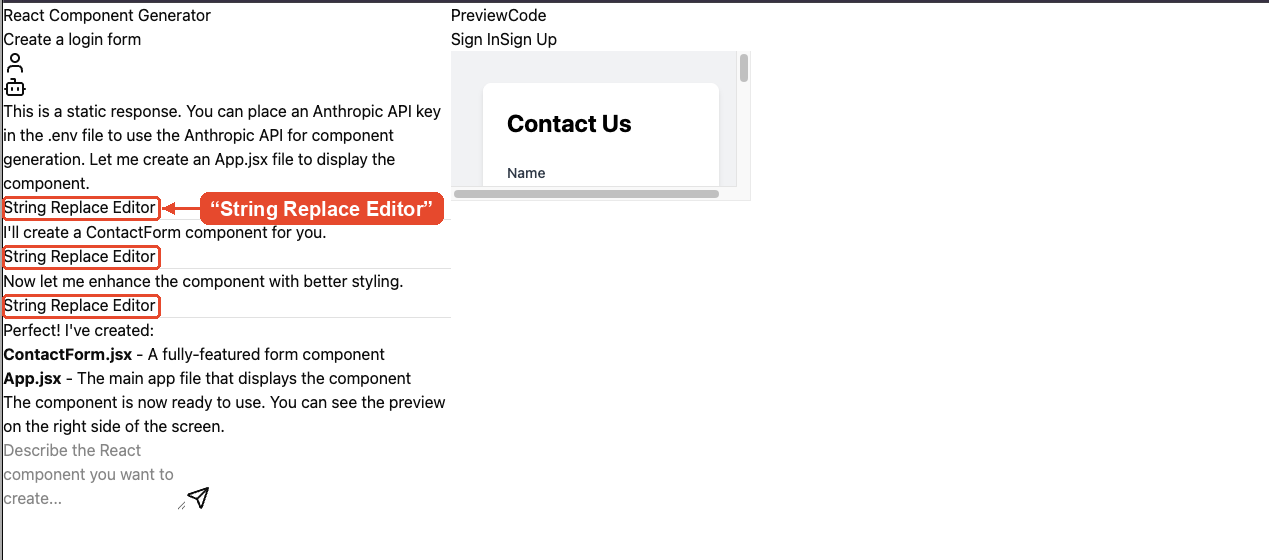
Time to swap it for "Editing file". The string appears in two places: src/lib/tool-labels.ts and src/components/chat/MessageList.tsx. Plan mode is built for cross-file edits like this. Once the change lands, you'll commit it with a generated commit message.
Cet exercice fait partie du cours
<cours>Claude Code in Action</cours>Instructions de l’exercice
- Start Claude Code with
claude. - Enter Plan mode with
/plan. - Ask Claude to plan replacing every occurrence of "String Replace Editor" with "Editing file" across the project.
- Approve the plan and let Claude implement it, then ask Claude to commit the change.
- Type
/exitto exit Claude Code.
Exercice interactif pratique
Transformez la théorie en action avec l’un de nos exercices interactifs
 Commencer l’exercice