Using outer join to select actors
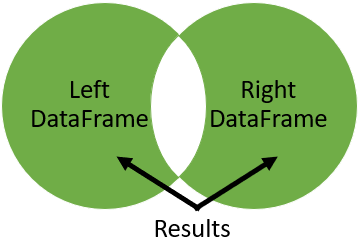
One cool aspect of using an outer join is that, because it returns all rows from both merged tables and null where they do not match, you can use it to find rows that do not have a match in the other table. To try for yourself, you have been given two tables with a list of actors from two popular movies: Iron Man 1 and Iron Man 2. Most of the actors played in both movies. Use an outer join to find actors who did not act in both movies.
The Iron Man 1 table is called iron_1_actors, and Iron Man 2 table is called iron_2_actors. Both tables have been loaded for you and a few rows printed so you can see the structure.
This exercise is part of the course
Joining Data with pandas
Exercise instructions
- Save to
iron_1_and_2the merge ofiron_1_actors(left) withiron_2_actorstables with an outer join on theidcolumn, and set suffixes to('_1','_2'). - Create an index that returns
Trueifname_1orname_2are null, andFalseotherwise.
Hands-on interactive exercise
Have a go at this exercise by completing this sample code.
# Merge iron_1_actors to iron_2_actors on id with outer join using suffixes
iron_1_and_2 = iron_1_actors.merge(____,
                                     ____,
                                     ____,
                                     suffixes=____)

# Create an index that returns true if name_1 or name_2 are null
m = ((iron_1_and_2['name_1'].____) |
     (iron_1_and_2['____'].____))

# Print the first few rows of iron_1_and_2
print(iron_1_and_2[m].head())