Lấy mẫu Monte Carlo cho mô hình sự kiện rời rạc với SimPy
Giờ hãy xây dựng lại phân tích lấy mẫu Monte Carlo dùng phiên bản mô hình viết bằng SimPy. Mô hình SimPy có một generator tên là manufacturing_process, mô phỏng các quy trình khác nhau, và một hàm run_monte_carlo chạy mô hình nhiều lần, lưu thông tin vào mảng NumPy có tên time_record.
Đoạn mã vẽ kết quả tương tự như bài tập trước, nhưng đã được chuyển vào một hàm tên plot_results() như bên dưới.
def plot_results():

    df_disc = pd.DataFrame({cNam[0]: process_line_space, cNam[1]: time_record})
    fig = sns.lineplot(data=df_disc, x=cNam[0], y=cNam[1], marker="o")
    fig.set(xlim=(0, len(processes) + 1))
    plt.plot()
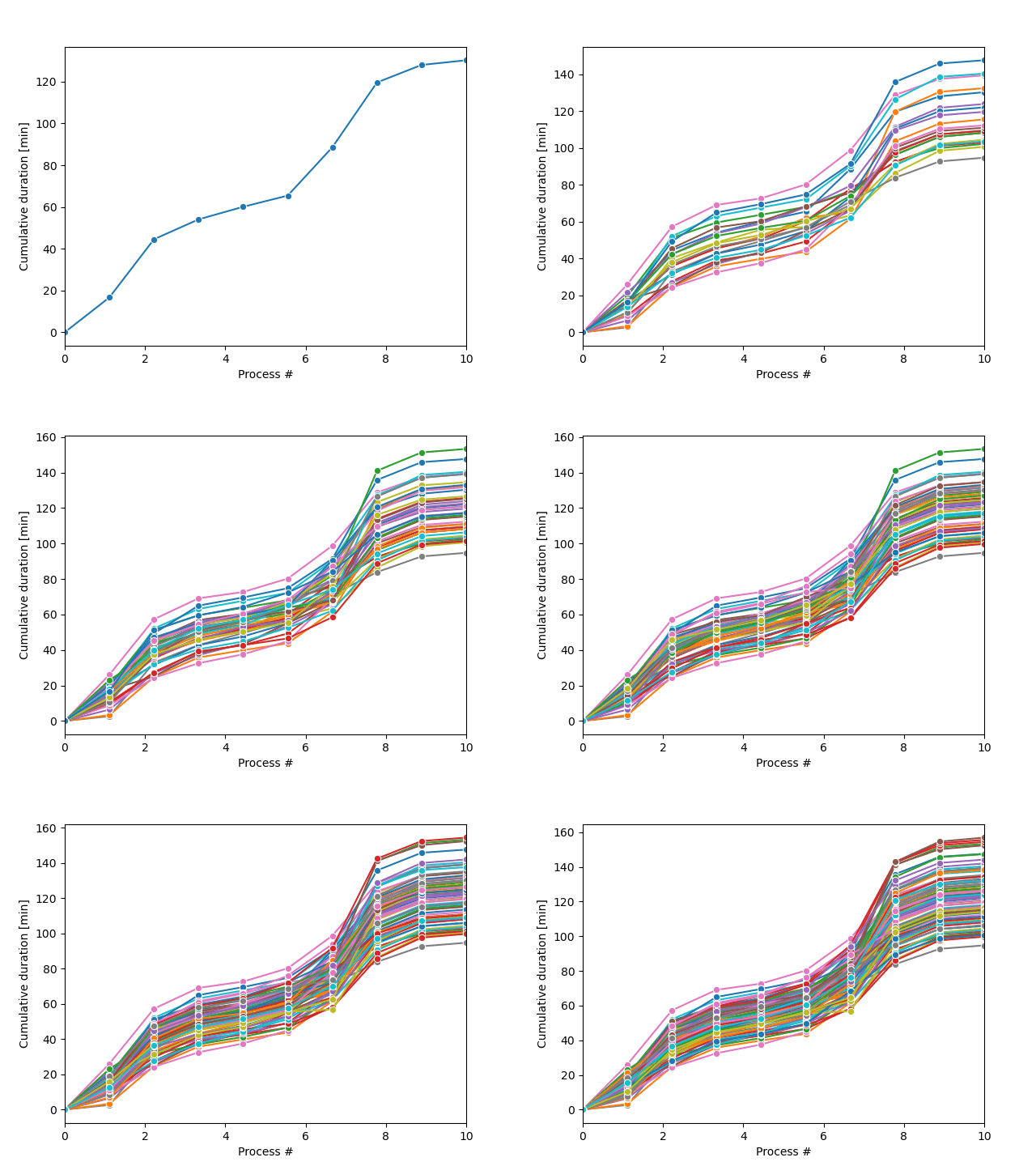
Vòng lặp lấy mẫu Monte Carlo sẽ tạo ra một loạt quỹ đạo quy trình có thể xảy ra, như trong hình minh họa.
Bài tập này là một phần của khóa học
Mô phỏng Sự kiện Rời rạc bằng Python
Hướng dẫn bài tập
- Ghi nhận thời lượng bằng cách clock-in và yield
process_duration. - Lưu thời gian hiện tại vào
time_record. - Chạy vòng lặp for cho
n_trajectoriesmẫu với biến giảt. - Tạo môi trường SimPy, thêm các quy trình và chạy mô hình.
Bài tập tương tác thực hành trực tiếp
Hãy thử làm bài tập này bằng cách hoàn thành đoạn mã mẫu này.
def manufacturing_process(env):
    global time_record
    for p in range(len(processes)):
        proc_p = processes[p]
        process_duration = random.gauss(proc_p["Average_Duration"], proc_p["Standard_Deviation"])

        # Clock-in and yield the process_duration
        yield ____

        # Save the current time in time_record
        time_record[p + 1] = ____

def run_monte_carlo(n_trajectories):

    # Run a for-loop for n_trajectories samples with dummy variable t
    ____

        # Create the SimPy environment, add processes and run the model
        env = ____
        env.____(manufacturing_process(env))
        env.____()

        plot_results()
    plt.show()

run_monte_carlo(n_trajectories = 100)